3D AI Studio
Last updated:
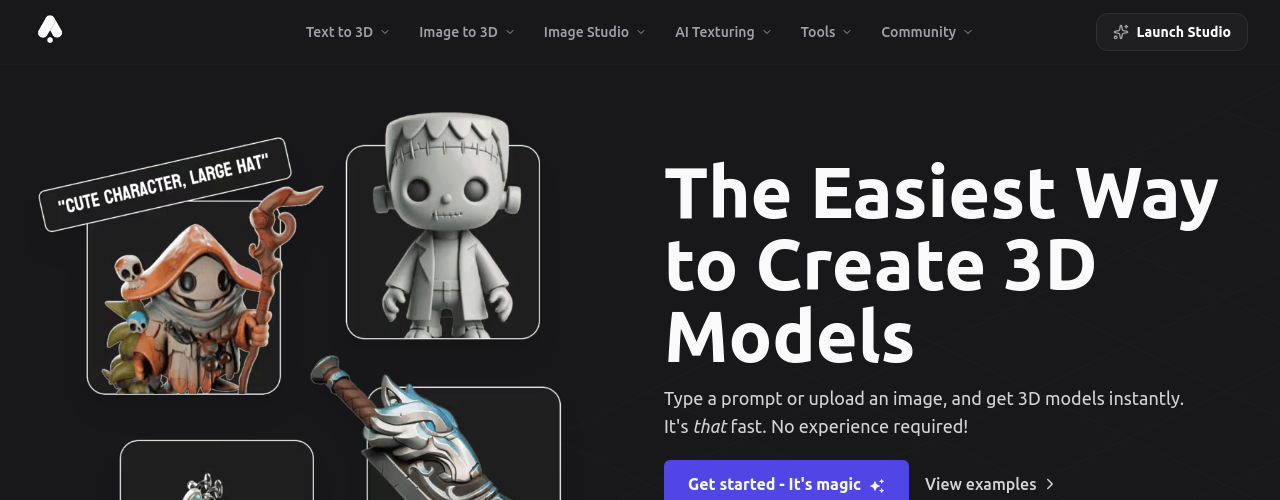
3D AI Studio is a cloud-based platform for generating, texturing, and optimizing 3D assets from text prompts and images. It acts as a multi-model aggregator, giving users access to leading generation engines from a single interface. The platform goes beyond raw generation to offer a complete 3D production pipeline. After a model is generated, users can apply AI-powered PBR texturing (Albedo, Normal Maps, Metallic/Smoothness, Emission), run automatic quad remeshing for game engine compatibility, repair geometry for 3D printing, generate level-of-detail variants for real-time performance, and export to 6+ formats including FBX, OBJ, GLB, STL, and USDZ. Professional workflows typically start in Image Studio, where users generate reference images, then pass the selected image into Image-to-3D for consistent, high-quality results. A dedicated Blender addon and REST API with pay-as-you-go credits serve both individual artists and production studios. Credit-based plans start from 14€/mo; enterprise teams can contact for volume pricing.
How It Works
For the recommended professional workflow, users begin in Image Studio: enter a detailed text prompt specifying style, pose, angle, and colors, then generate four image variations. After selecting or editing the best result, it is sent to Image-to-3D. The platform preprocesses the image and routes it through the selected AI generation model. Users choose from Meshy, Tripo Prism, or Hunyuan 3D depending on speed and quality requirements. The model produces a textured 3D mesh with PBR materials in under two minutes. Post-processing tools handle the rest: Quad Remesh cleans topology for game engine use, Mesh Repair produces watertight geometry for 3D printing, and Format Conversion outputs the asset in any of 9 supported formats. Rendering produces high-resolution previews and turntable videos up to 4K. Via the REST API, studios submit batch generation jobs with bearer token authentication, poll task IDs for completion, and retrieve production-ready assets programmatically. All GPU inference runs server-side; users need only a modern browser with WebGL support.
Key Features
- ✓Text-to-3D generation: Create 3D models from natural language descriptions using multiple AI engine options
- ✓Image-to-3D conversion: Upload any photo and convert it to a textured 3D model with automatic UV mapping
- ✓Multi-model access: One subscription includes multiple AI generation engines
- ✓PBR texture generation: AI-powered physically-based rendering materials for realistic surface detail
- ✓Quad-remesh optimization: Automatically refines mesh topology for game-ready polygon counts
- ✓AI image generation: Companion Image Studio for reference art and marketing visuals
- ✓Video generation tools: AI video creation alongside the 3D pipeline
- ✓Cloud processing: All generation runs in the cloud with no local GPU required
- ✓Export formats: GLB, OBJ, FBX, STL, USDZ, and PLY compatible with Blender, Unity, and Unreal Engine
- ✓Credit-based pricing: Three subscription tiers plus one-time add-on credits
Best For
Frequently Asked Questions
What are credits and how do they work?
Credits are the currency you use to generate content on 3D AI Studio. Different tools cost different amounts: Image to 3D costs 20 credits, Text to 3D costs 20 credits, and Image Studio costs 2 credits per image. Your monthly credits refresh every billing cycle. Tools like Texture AI, Remesh, and LOD generation are completely free.
Can I try 3D AI Studio for free?
Yes. New users receive free credits to try all generation tools including Image to 3D, Text to 3D, and Image Studio. No credit card required to get started.
What is the difference between Basic, Studio, and Pro?
Basic (1,000 credits/month) is ideal for beginners exploring AI 3D generation. Studio (3,500 credits/month) is the most popular plan with all tools unlocked and faster generation. Pro (18,000 credits/month) is built for heavy users and teams with highest-priority generation and dedicated support.
Can I cancel anytime?
Yes. All plans are month-to-month with no long-term commitment. You can cancel at any time from your account settings. Annual plans offer a discount and can also be cancelled; you will retain access until the end of the billing period.
Do unused credits roll over?
Monthly subscription credits reset each billing cycle. However, credits purchased as one-time add-ons never expire and stay in your account until used.
What file formats can I export?
All plans support exporting in GLB, OBJ, FBX, STL, USDZ, and PLY formats. Models are compatible with Blender, Unity, Unreal Engine, Godot, and all major 3D software.
Who owns the generated models?
You do. All assets generated on 3D AI Studio are private and fully owned by you. You can use them for commercial projects, games, 3D printing, or any other purpose.
Do you offer team or enterprise plans?
For teams needing more than 18,000 credits per month or custom integrations, contact [email protected]. Volume discounts and dedicated API access are available for studios and agencies.
Pricing
Free
- Free credits on signup
- No credit card required
- Access to Image to 3D, Text to 3D, Image Studio
Basic
- 1,000 Credits per Month
- Up to 100 assets/mo
- Download in Any Format
- Text to 3D Generation
- Image to 3D Generation
- Generate & Edit Images with AI
- Assets Private & Customer Owned
- Cancel Anytime
Studio
- 3,500 Credits per Month
- Up to 400 assets/mo
- All Tools & Features Unlocked
- Download in Any Format
- Text to 3D Generation
- Image to 3D Generation
- Generate & Edit Images with AI
- Unlimited Texture AI
- Faster Generation Times
- Assets Private & Customer Owned
- Cancel Anytime
Pro
- 18,000 Credits per Month
- Up to 2,000 assets/mo
- Everything in Studio, plus:
- Team Workspace & Shared Projects
- 3 Team Seats Included
- Highest-priority generation
- Priority Support
- Pro Badge on Profile
- Cancel Anytime