Clips AI
Last updated:
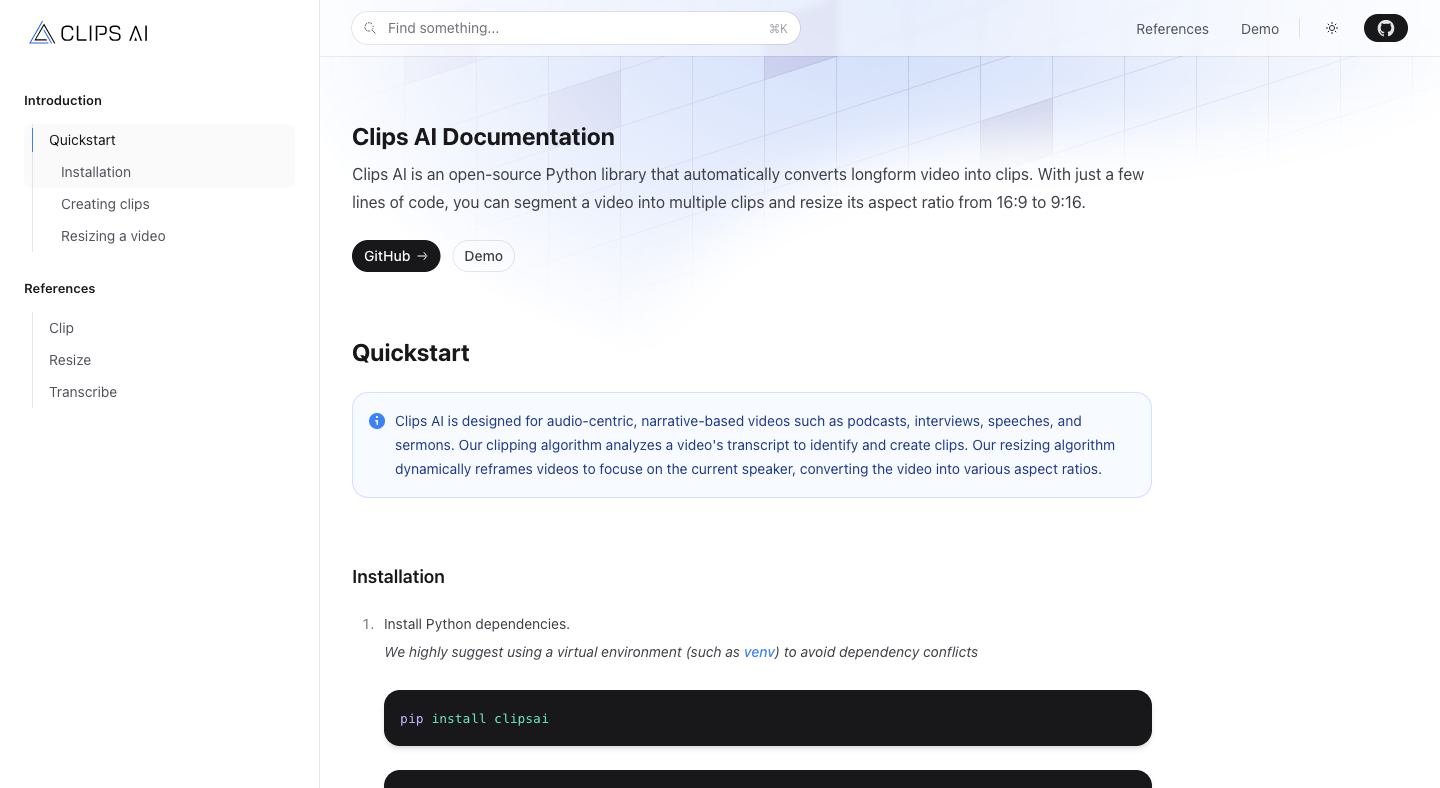
Clips AI is an open-source Python library, released under the MIT license, that automatically converts longform video into short clips. Built by a 3-person team (Benjamin Smidt, Armel Talla, and Johann Cai), the project has accumulated 471 GitHub stars and 92 forks since its initial release in late 2023. The library is published to PyPI as clipsai and installed via pip, making it accessible to any Python developer without requiring a paid account or API key. The library is built for audio-centric, narrative-based content: podcasts, interviews, speeches, and sermons. Its clipping algorithm is based on the TextTiling method, originally conceptualized by researcher Marti A. Hearst in the 1990s, and extended using BERT embeddings to detect topic shifts in a video transcript. The algorithm segments content at the sentence level by analyzing word distribution patterns, not by arbitrary time cuts, producing clips that correspond to coherent topic transitions in the original video. The resizing module works by using Pyannote speaker diarization to identify who is speaking at any given moment and dynamically reframe the video so the current speaker stays in frame. Converting a 16:9 interview recording to 9:16 vertical format for social media requires a free Hugging Face access token to use Pyannote. The clipping feature requires no token at all. Both modules run fully locally on the developer's machine with no cloud API calls to Clips AI servers, no usage caps, and no subscription. The library is accompanied by a live UI demo at demo.clipsai.com where developers can test clip generation on sample video before integrating the library into their own pipeline.
How It Works
Getting started requires three pip installations: the clipsai package itself, WhisperX (installed directly from its GitHub repository via pip install whisperx@git+https://github.com/m-bain/whisperx.git), and ffmpeg for video trimming. WhisperX is an open-source wrapper around OpenAI Whisper that adds word-level timestamps, which the ClipFinder algorithm needs to map transcript segments back to precise timestamps in the video file. To generate clips, developers instantiate a Transcriber object and call transcriber.transcribe(audio_file_path="/abs/path/to/video.mp4"). This produces a Transcription object passed to a ClipFinder instance via clipfinder.find_clips(transcription=transcription). The method returns a list of Clip objects, each containing start_time and end_time in seconds, plus start_char and end_char indices into the original transcript. A MediaEditor instance then trims the original file to each clip's boundaries, producing a new video file per clip. To resize a video to a different aspect ratio, developers call the top-level resize() function, passing the video file path, a Hugging Face pyannote_auth_token, and the target aspect_ratio as a tuple such as (9, 16) for vertical video. The function returns a crops object whose .segments attribute contains per-segment cropping coordinates keyed to whichever speaker is active at that time. Developers apply these crop coordinates during video export using ffmpeg or a compatible video processing library. The entire workflow runs on local hardware. The Clips AI documentation covers three reference sections: Clip (ClipFinder and Clip classes), Resize (the resize function and its crop output), and Transcribe (the Transcriber class and Transcription object), with code samples and links to the relevant source files on GitHub.
Key Features
- ✓Transcript-based clip detection: Uses the TextTiling algorithm extended with BERT embeddings to find topic-shift boundaries in audio transcripts, producing clips aligned to natural narrative breaks rather than arbitrary time windows
- ✓WhisperX transcription integration: Transcribes video or audio files via WhisperX, an open-source Whisper wrapper that provides word-level start and stop timestamps required for accurate clip boundary mapping
- ✓Speaker-aware video resizing: Uses Pyannote speaker diarization to dynamically reframe 16:9 video to 9:16 (or any target aspect ratio) by tracking who is speaking at each moment in the recording
- ✓ClipFinder class with find_clips method: Returns a list of Clip objects each containing start_time, end_time, start_char, and end_char properties, giving developers full control over how clips are trimmed and exported
- ✓MediaEditor trimming for audio and video files: Supports both AudioFile and AudioVideoFile inputs, letting developers trim either audio-only or full video files to the clip boundaries returned by ClipFinder
- ✓MIT license with full source code on GitHub: All source code is in the ClipsAI/clipsai GitHub repository with 68 commits, 4 branches, and contributions from 3 developers
- ✓PyPI package installable with pip: Install via pip install clipsai in any Python virtual environment, with no Clips AI account, API key, or cloud dependency required
- ✓Live UI demo at demo.clipsai.com: Demonstrates clip generation on sample videos so developers can evaluate output quality before integrating the library into a production pipeline
- ✓Designed for narrative-content formats: Optimized for podcasts, interviews, speeches, and sermons where the transcript is the primary structural signal for where meaningful clips begin and end
- ✓Resize reference documentation with crop segment output: The resize function returns a structured crops object with per-segment reframing coordinates that developers apply during video encoding
Best For
Frequently Asked Questions
Does Clips AI cost money to use?
No. Clips AI is an open-source Python library released under the MIT license, available free via pip install clipsai. No subscription, no API key, no usage caps. The entire workflow runs locally on your own hardware.
What types of video content does Clips AI work best with?
The library is built for audio-centric, narrative-based video: podcasts, interviews, speeches, and sermons. The clipping algorithm relies on transcript topic shifts, so it works best when spoken content is the primary structural signal.
What Python dependencies are required to get started?
Three components must be installed: the clipsai package via pip, WhisperX (from its GitHub repo), and ffmpeg for video file trimming. WhisperX provides the word-level timestamps that ClipFinder needs for accurate clip boundaries.
Is a Hugging Face token required?
Only for the video resizing feature. Clip detection (Transcriber plus ClipFinder) requires no token. Resizing uses Pyannote for speaker diarization, which requires a free Hugging Face access token.
How does the clipping algorithm decide where to cut?
ClipFinder applies the TextTiling algorithm extended with BERT embeddings to the video transcript, detecting topic-shift boundaries at the sentence level by analyzing word distribution patterns rather than using arbitrary time-based cuts.
Can the library handle both audio-only and audio-video files?
MediaEditor supports both AudioFile (audio-only) and AudioVideoFile (audio plus video streams), so developers can trim either format to the clip boundaries returned by ClipFinder.
Is there a no-code way to try Clips AI before integrating it?
A live UI demo is available at demo.clipsai.com showing clips generated by the library on sample video. The demo lets developers evaluate output quality before writing any integration code.