Liminary
Last updated:
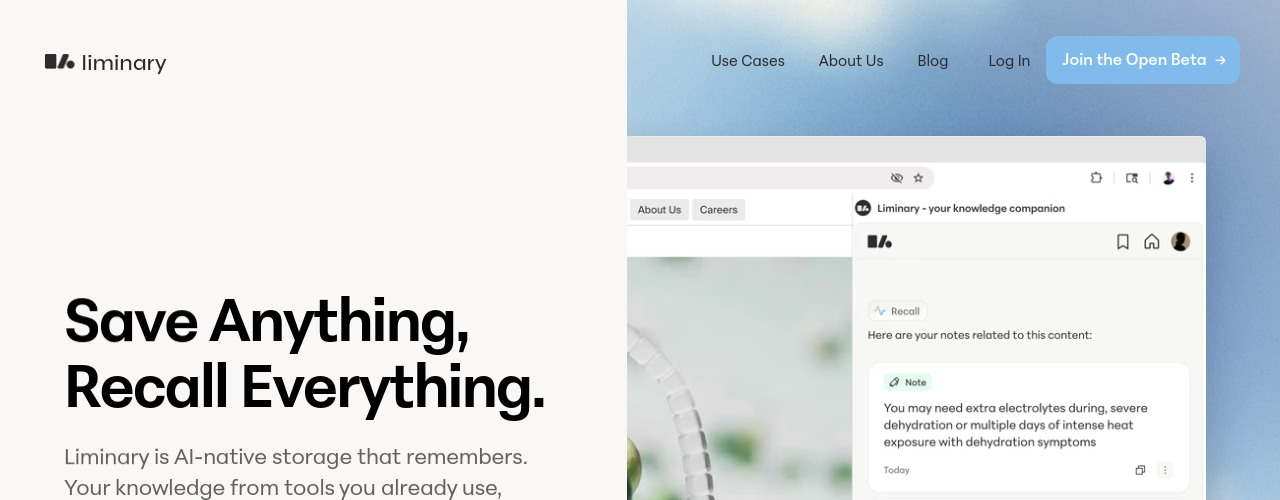
Liminary is an AI-native knowledge management tool designed to store, organize, and surface your personal information exactly when you need it. You can save webpages, PDFs, YouTube videos, AI chat transcripts, and files from your desktop into a unified library. The difference from standard bookmarking tools is the AI recall layer: Liminary monitors what you are working on and proactively surfaces relevant saved content in context, rather than waiting for you to search for it. This makes it particularly useful for consultants, researchers, investors, and knowledge workers who accumulate large reference libraries but struggle to retrieve the right material at the right moment. The platform offers a free Explorer tier, a Pro plan at $29/month with advanced recall and unlimited writing assistance, and a Team plan for firms that need shared knowledge bases and integrations. Liminary positions itself against tools like Notion AI, Readwise, and Mem, but its proactive recall differentiator is what sets it apart from passive storage tools.
How It Works
You connect Liminary to your information sources by installing the browser extension and desktop integrations. When you encounter a webpage, PDF, or video worth keeping, a single click saves it to your Liminary library. The AI processes saved content to extract key themes, topics, and entities, building a semantic index rather than relying on manual tags. As you work in other applications or browse new content, Liminary's recall engine runs in the background, matching your current context against your library and surfacing relevant items in a sidebar. You can also search manually with natural language queries. YouTube videos are transcribed and indexed so you can search within video content. AI chat transcripts from tools like ChatGPT or Claude are also captured and fully searchable. The Explorer tier is free and includes 200 saved documents and basic recall. The Pro tier ($29/month) unlocks 10,000 sources, unlimited writing assistant uses, advanced recall with fact-checking, and team collaboration for up to 10 people. The Team tier offers custom pricing for firms needing shared knowledge bases, Slack/Granola integrations, and up to 50 people per project.
Key Features
- ✓Universal content capture: Save webpages, PDFs, YouTube videos, AI chats, and desktop files in one place
- ✓Proactive knowledge surfacing: AI monitors your current work and resurfaces relevant saved content automatically without searching
- ✓Natural language search: Find anything in your library using plain language queries
- ✓YouTube transcription and indexing: Videos are transcribed so their spoken content becomes fully searchable
- ✓AI chat capture: Saves conversations from ChatGPT, Claude, and other AI tools for future recall
- ✓Browser extension: One-click saving from any webpage without interrupting your workflow
- ✓Semantic indexing: Content indexed by meaning rather than just keywords for better recall precision
- ✓Desktop file integration: Capture and index files from your local machine alongside web content
- ✓Cross-device access: Your knowledge library is available across devices via the web app
- ✓Writing assistant: Generate and refine content using your saved knowledge base (3 uses/day on Explorer, unlimited on Pro)
- ✓Advanced recall with fact-check and gap detection: Pro feature that validates recall against saved sources and surfaces gaps
- ✓Team collaboration: Share projects with up to 10 people (Pro) or 50 people (Team) with a shared knowledge base
- ✓Workflow integrations: Connect Slack, Granola, Google Drive, Notion, and more (Team tier)
- ✓PDF annotation capture: Save annotated sections from PDFs alongside the original document
Best For
Frequently Asked Questions
What is Liminary?
Liminary is an AI-native knowledge management and recall tool that enables the right piece of your knowledge to find you when you need it, helping you stay in flow. You can save information in any format (web pages, PDFs, YouTube videos, files, etc.) and annotate as you read. Unlike traditional tools that require you to search, Liminary proactively surfaces relevant information from your knowledge base while you work.
Who benefits most from using Liminary?
Liminary is built for research- and insights-centric knowledge workers including researchers, consultants, investors, and students. If you are always absorbing a high quantity of information and need to synthesize it to produce your own insight, you are the ideal user. If you have ever been frustrated because you know you have seen a piece of information before but cannot find it now, Liminary is for you.
How is Liminary different from other AI knowledge tools?
While other tools help you organize and search your knowledge, Liminary weaves your notes, research sources, files, and ideas into an active knowledge graph that proactively works alongside you. The key difference is the Recall feature: instead of requiring you to search, Liminary identifies what is relevant to your current work and surfaces it automatically, like a research assistant who knows your entire knowledge base.
How does Liminary Recall work?
Recall works alongside you (once you have given it permission), seeing what you are currently working on and automatically surfacing relevant information from your knowledge graph. When you have the Recall panel open, Liminary analyzes your current section context and finds connections across all your saved materials, identifying common themes, generating insights and counterpoints, and suggesting relevant collections. It currently works while you research and continuously refreshes recommendations while you write in Google Docs or Notion.
Which file formats and platforms does Liminary support?
Liminary lets you save multiple formats including web articles, PowerPoint, Word, PDF, text files, YouTube videos, chats with LLMs, social media posts, and more. You can connect Google Drive, Notion, and ChatGPT or Claude conversation threads without technical integrations. Offline files can be uploaded directly through the Liminary dashboard.
How much does Liminary cost?
Liminary offers three plans: Explorer (free, 200 saved documents, basic recall), Pro ($29/month, 10,000 sources, unlimited writing assistant, advanced recall with fact-checking, up to 10 collaborators per project), and Team (custom pricing, unlimited sources, shared team knowledge base, up to 50 people per project, Slack and Granola integrations).
Pricing
Explorer
- 200 saved documents
- 10 local uploads per day
- 3 writing assistant uses
- Basic recall
- 30 days chat history
Pro
- Everything in Explorer
- 10,000 saved sources
- 100 local uploads per day
- Unlimited writing assistant uses
- Advanced recall with fact-check and gap detection
- Model selection
- Unlimited chat history
- Collaborate with up to 10 people per project
Team
- Everything in Pro
- Unlimited sources and uploads
- Shared team knowledge base
- Share with up to 50 people per project
- Workflow integrations (Slack, Granola, and more)
- Custom onboarding
- Priority support