MailWizard
Last updated:
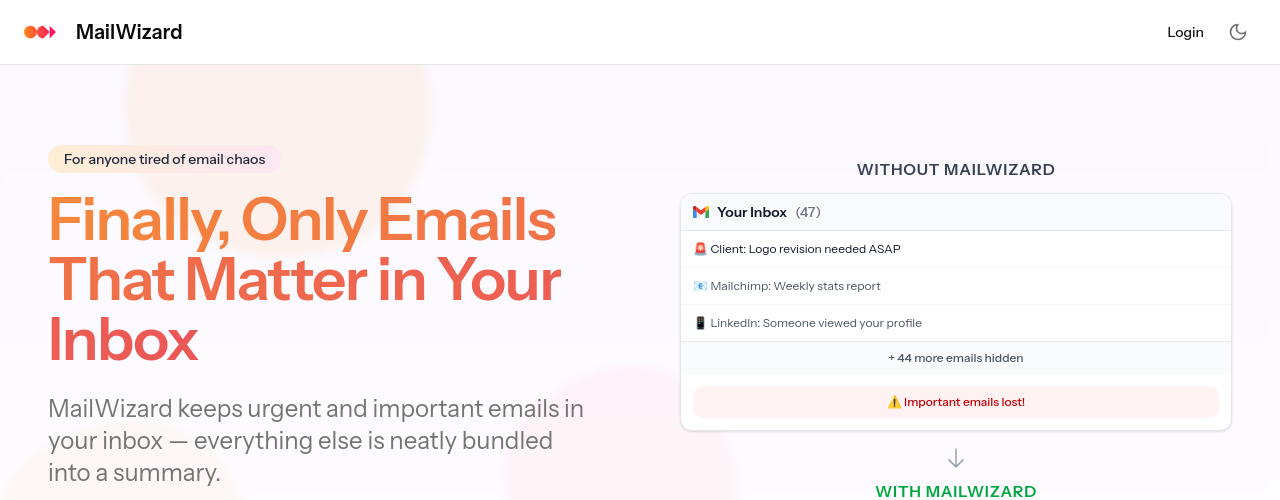
MailWizard is an AI-powered email management tool designed to automate the repetitive work of inbox organization. Rather than manually creating label rules or spending time sorting emails, you describe what you want in plain language (for example, "emails containing a task for me" or "frustrated customer emails with negative tone") and MailWizard's AI builds intelligent filters that process your inbox automatically. Actions include archiving, labeling, and moving emails based on these workflows. The platform also generates on-demand email summaries and, on the Pro plan, audio summaries so you can listen to your inbox overview on the go. MailWizard is built on EU infrastructure and is fully GDPR compliant. The Starter plan processes up to 750 emails per month on one account for €9/month. The Pro plan handles 3,000 emails per month across two accounts for €19/month (locked in for the first 1,000 users; €29 for subsequent subscribers). A 14-day free trial requires no credit card.
How It Works
You connect your email account to MailWizard and define workflows using natural language descriptions of the types of emails you want to act on. The AI interprets these rules and builds filters that process incoming emails as they arrive, automatically archiving low-priority threads, applying labels to project-related emails, or routing messages to the right folders. You can request email summaries at any time to get an overview of what's in your inbox without reading every message. The Pro plan adds audio summaries, letting you listen to your inbox digest while commuting or between tasks. MailWizard processes up to your plan's monthly email limit in the background, so your inbox stays organized without manual intervention. EU-only data processing ensures GDPR compliance for users and organizations with data residency requirements.
Key Features
- ✓Natural-language email workflows: Define email filters using plain descriptions instead of technical rule builders
- ✓Automated email actions: Archive, label, or move emails automatically based on your defined workflows
- ✓AI email summaries: Get overviews of your inbox on demand without reading every message
- ✓Audio summaries (Pro): Listen to your inbox digest on mobile without looking at a screen
- ✓Negative tone detection: Identify frustrated or dissatisfied emails for priority handling
- ✓Task detection: Surface emails containing action items or tasks requiring follow-up
- ✓14-day free trial: Full feature access with no credit card required
- ✓GDPR-compliant EU infrastructure: Data processed and stored exclusively within the EU
- ✓Up to 2 email accounts (Pro): Manage multiple inboxes from one MailWizard account
- ✓Cancel anytime: No lock-in beyond the current billing period
- ✓SOC 2 Type II roadmap: Planned certification for enterprise security requirements
- ✓Transparent pricing: No hidden fees, with clearly stated plan limits per month
Best For
Frequently Asked Questions
How does MailWizard get access to my emails?
MailWizard connects securely to your Gmail or Outlook account using OAuth. We don't change your email setup: we just add smart filtering and summaries on top. Your existing email client works exactly the same.
Will MailWizard activate workflows automatically without my consent?
No worries. MailWizard adapts to your existing system and habits, not the other way around. We suggest workflows based on how you already manage your emails, but you're always in full control. You decide which workflows to activate, how they work, and when they run. Nothing happens without your approval.
If only important emails stay in my inbox, what happens to the rest? Could I lose emails?
You decide what happens to every email. Less important messages can be archived, sorted into folders, or even deleted, but only if you want. MailWizard never deletes or hides emails without your permission. Nothing gets lost.
How long does setup take?
About 5-10 minutes. Connect your Gmail or Outlook account, then pick from templates like Newsletter, Marketing, or Meeting Updates, or create your own by describing what matters to you. With smart suggestions, MailWizard streamlines the setup process, making it fast, effortless, and tailored to your needs.
What happens after I reach my email limit?
New emails land in your inbox normally until next month. You can upgrade anytime to continue processing, or wait for your monthly reset. No emails are ever lost or hidden.
What happens to my emails if I cancel?
Your emails stay exactly where they've always been, in your original Gmail or Outlook account, completely safe. When you cancel, we simply stop processing your emails and remove the summaries and workflows we created for you. Any labels we added to your emails will remain, but we won't add any new ones.
Pricing
Starter
- Unlimited AI workflows
- Email actions (archive, label, move)
- Email summaries
- 750 emails/month (~25 daily)
- 1 email account
- 14-day free trial, no credit card
Pro
- Unlimited AI workflows
- Email actions
- Email summaries
- Audio summaries
- 3,000 emails/month (~100 daily)
- 2 email accounts
- Permanently €19 for first 1,000 users
- 14-day free trial, no credit card