Pictory AI
Last updated:
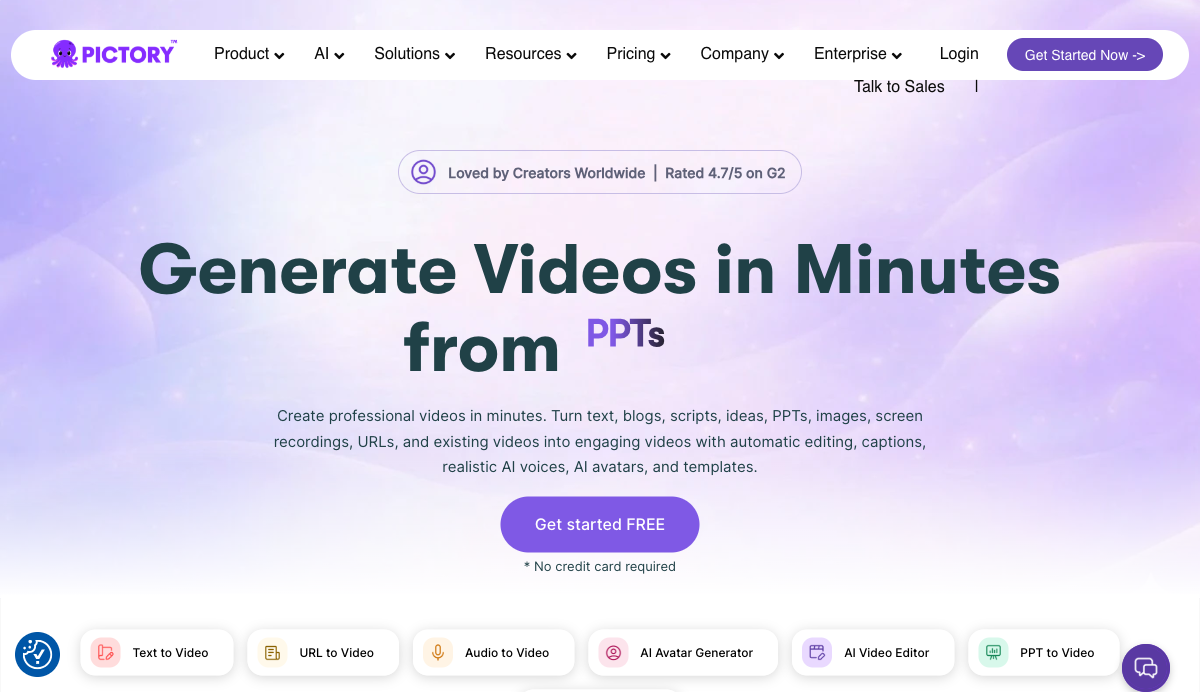
Pictory AI is a browser-based video creation platform that converts text, scripts, URLs, blog posts, PowerPoint presentations, images, audio files, and existing video recordings into fully edited, publish-ready videos. Trusted by over 20,000 companies including Pearson, Kajabi, Coursera, and Royal Canin, it is rated 4.7/5 on G2 and positions itself as a production tool for creators, marketers, and corporate teams who need to produce video at scale without cameras or editing software. What separates Pictory from generic AI video tools is its combination of input flexibility and automated post-production. Starting from a raw blog URL, a PPT file, a voice recording, or a simple text prompt, the platform builds scene-by-scene storyboards, matches visuals from a library of 18 million Getty Images and Storyblocks assets, adds AI-generated captions, and applies ElevenLabs AI voices in 29 languages. An integrated AI Studio lets users generate custom images and video clips from text prompts directly inside the editor, so output is not limited to stock footage. The platform serves marketing teams turning product pages and blog posts into campaign videos, corporate training departments building onboarding modules from internal documents, and individual creators repurposing long-form content into short-form clips for YouTube, TikTok, and Instagram. Its Zapier and Make integrations let teams route completed videos into team folders or connected apps without manual steps. A ChatGPT plugin (Pictory GPT) and a Chrome extension add video generation to existing browser and AI workflows. Enterprise customers get Pictory Central, an interactive video hosting layer with AI-generated chapters, quizzes, clickable CTAs, and SCORM export for LMS integration. Partners powering the platform include ElevenLabs for voices, Getty Images and Storyblocks for stock assets, OpenAI for scripting, and Melodie for music.
How It Works
Starting a video in Pictory begins by selecting an input type from the dashboard. Seven primary workflows are available: Text to Video, URL to Video, Audio to Video, AI Avatar Generator, AI Video Editor, PPT to Video, and Image to Video. You paste text or a script, drop in a URL, upload a file, or type a prompt depending on which generator you choose. No timeline editing or video production knowledge is required at this stage. Once the input is submitted, Pictory's AI segments the content into scenes, estimates timing per scene, and builds a storyboard with automatically matched visuals pulled from Getty Images and Storyblocks. The scene editor opens showing each scene with its assigned clip, caption, and audio track. You can swap visuals, regenerate individual scenes using AI Studio with a text prompt, adjust text overlays, or reorder scenes without rebuilding the entire video. Audio is handled through ElevenLabs-powered AI voices available in 29 languages. Starter plans include 60 minutes per month, Professional plans include 120 minutes, and Team plans include 240 minutes. You can also upload your own voiceover and the platform syncs it automatically to scenes. Brand kits let you upload logos, custom colors, and fonts so every exported video follows your visual identity. Starter plans support 1 brand kit; Professional supports 5; Team supports 10. Exporting produces platform-ready 1080p video in horizontal, vertical, or square aspect ratios for YouTube, TikTok, Instagram, and presentations. Completed videos can be routed automatically through Zapier or Make workflows into storage systems or team channels. The Chrome extension enables URL-to-video generation without returning to the Pictory dashboard, and the Pictory GPT plugin lets users generate scripts and videos directly inside ChatGPT.
Key Features
- ✓Text to Video Generator: Converts scripts, articles, prompts, and blog posts into scene-based videos with AI-matched visuals and auto-captions
- ✓URL to Video: Turns any webpage, product page, or blog URL into a structured video with one click using the Chrome extension or dashboard
- ✓PPT to Video: Converts PowerPoint presentations into narrated videos, preserving slide content and adding AI voiceovers and transitions
- ✓Audio to Video: Transforms podcast recordings and audio files into video with auto-generated captions and matched visuals
- ✓AI Studio: Generates custom images and video clips from text prompts directly inside the scene editor for scenes where stock footage falls short
- ✓ElevenLabs AI Voices: Realistic AI narration in 29 languages; Starter plans include 60 minutes per month, Professional 120 minutes, Team 240 minutes
- ✓AI Avatars: On-screen digital presenters added as an editable layer per scene, delivering scripts with natural narration and customizable positioning
- ✓Brand Kit: Upload custom logos, colors, and fonts; Starter includes 1 brand kit, Professional includes 5, Team includes 10, Enterprise includes unlimited
- ✓Stock Asset Library: Access to 18 million licensed video clips and images from Getty Images and Storyblocks on Professional and Team plans
- ✓Auto Captions: Automatically transcribes and captions every video for accessibility and on-screen engagement
- ✓Video Summarization: Condenses long videos into highlight clips, available on Professional plans and above
- ✓Zapier and Make Integration: Routes completed videos into team folders, cloud storage, or connected apps without manual steps
- ✓AI Script Generator: Produces professional video scripts from a short idea or prompt in seconds using the built-in AI tool
- ✓Pictory Central (Enterprise): Interactive video hosting with AI-generated chapters, quizzes, clickable CTAs, and SCORM export for LMS systems
Best For
Frequently Asked Questions
Does Pictory offer a free trial?
The free trial runs for 14 days with no credit card required. After the trial, paid plans start at $25 per month billed annually.
What is included in the Starter plan?
Starter includes 200 video minutes per month, 5 GB storage, 1 brand kit, 60 minutes of ElevenLabs AI voices in 29 languages, 5 million stock assets from Getty and Storyblocks, and 100 AI credits.
How many languages does Pictory support for AI voices?
ElevenLabs AI voices cover 29 languages on all paid plans. Starter gets 60 minutes per month, Professional gets 120 minutes, Team gets 240 minutes. Standard voices in 7 languages are unlimited on Professional and Team.
Can Pictory connect to Zapier and Make?
Zapier and Make integrations route completed videos automatically into storage systems, Slack channels, or other connected apps. A Chrome extension also enables URL-to-video generation directly from any webpage.
What does the Team plan include?
Team is priced at $119 per month billed annually and supports 3 or more users. It includes 1,800 video minutes, 100 GB storage, 10 brand kits, 240 minutes of ElevenLabs voices, and 2,400 AI credits.
Does Pictory support SCORM or LMS export?
SCORM export is part of Pictory Central, the interactive video hosting layer included in Enterprise plans. It also adds AI-generated chapters, quizzes, and clickable CTAs on top of hosted videos.
What partnerships power Pictory's AI and content features?
Pictory partners with ElevenLabs for AI voices, Getty Images and Storyblocks for stock assets, OpenAI for scripting, Google and Microsoft for infrastructure, Zapier and Make for automation, and Melodie for background music.
Pricing
Free Trial
- 14-day free trial
- No credit card required
Starter
- 1 user
- 200 video minutes per month
- 5 GB storage
- 1 brand kit
- 60 minutes ElevenLabs AI voices in 29 languages
- 5 million stock assets (Getty Images and Storyblocks)
- 100 AI credits
- $29/mo billed monthly
Professional
- 1 user
- 600 video minutes per month
- 25 GB storage
- 5 brand kits
- 120 minutes ElevenLabs AI voices in 29 languages
- 18 million stock assets (Getty Images and Storyblocks)
- 600 AI credits
- Video summarization
- Unlimited standard voices in 7 languages
- $59/mo billed monthly
Team
- 3+ users
- 1,800 video minutes per month
- 100 GB storage
- 10 brand kits
- 240 minutes ElevenLabs AI voices in 29 languages
- 18 million stock assets (Getty Images and Storyblocks)
- 2,400 AI credits
- Unlimited standard voices in 7 languages
- $199/mo billed monthly
Enterprise
- 10+ users
- Custom video minutes
- Custom storage
- Unlimited brand kits
- Pictory Central (interactive video hosting)
- SCORM export for LMS
- AI-generated chapters, quizzes, clickable CTAs
- SSO and custom templates