Riverside
Last updated:
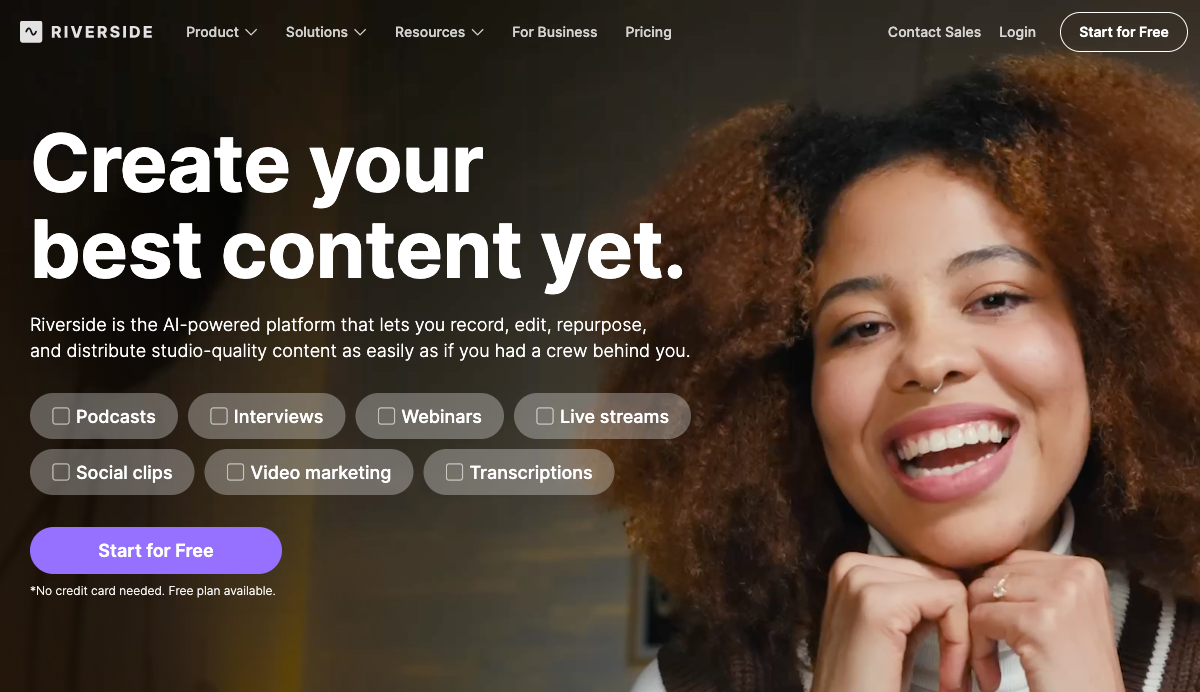
Riverside is a browser-based and desktop platform built by RiversideFM, Inc. for recording, editing, live streaming, and distributing professional-quality podcasts and video content. It solves the core problem of remote recording quality degradation by capturing each participant's audio and video locally on their own device, at up to 4K resolution and 48 kHz audio, independent of internet connection. The platform is used by notable creators including Tim Ferriss, Jay Shetty, Colin and Samir (1.5M YouTube subscribers), and Ali Abdaal (6.4M subscribers), as well as brands including Marvel and Spotify. What sets Riverside apart from alternatives like Zencastr or SquadCast is its coverage of the entire content production workflow in one place. Beyond recording, it includes a transcript-based video editor where you cut footage by editing text, an AI Co-Creator that generates clips, captions, thumbnails, and show notes automatically, live multistreaming to six platforms simultaneously, and a built-in podcast hosting platform with distribution to Spotify, Apple Podcasts, and YouTube. The platform is rated 4.8 out of 5 on G2 with 1,582 reviews. The platform serves podcasters, video marketers, producers, and enterprise teams. Use cases range from solo podcast recording and remote interviews to corporate webinars with HubSpot lead capture, internal communications, virtual conferences, and tutorial videos. On the Business plan, teams can host webinars for up to 10,000 registrants, record simultaneously across multiple sessions, and manage production through dedicated workspaces with custom roles and collaborative editing. Riverside is SOC 2 Type II and ISO 27001 certified, with enterprise features including SSO (Okta, Azure), custom frame rates (24, 25, and 29.97 FPS), and a dedicated Customer Success Manager. A Mac desktop app and iOS/Android mobile apps complement the browser-based studio, with mobile recording at up to 1080p on paid plans and 4K on Business.
How It Works
Starting a recording session on Riverside takes under two minutes. You create a studio from your dashboard, share a browser link with up to 10 guests, and each participant's device records its own local track. No download is required for guests. During the session, you can see each participant's connection status, use a built-in teleprompter, switch virtual backgrounds (standard, blur, or custom on paid plans), and share your screen. Progressive uploading runs in the background so tracks start syncing to the cloud before the session ends. After recording, the platform assembles the session in the editor with separate audio and video tracks for each participant. The text-based editor generates a full transcript and lets you cut footage by selecting and deleting text, removing filler words, or fixing a spoken mistake by retyping it in the transcript. Riverside's AI then re-syncs the speaker's lips and voice to match the corrected text. You can also remove silences, fix eye contact, generate B-roll, apply auto-layouts, and add animated captions in one click for reels and TikToks. From the same session, the AI Co-Creator generates promotional assets: short clips with the best moments, channel-optimized captions, headlines, thumbnails, and show notes with chapter markers. The Magic Audio tool processes each audio track separately, removing noise and correcting frequency response without any manual EQ work. Translations and AI dubbing are available as an additional step, with the dubbed audio synced to the speaker's lip movements in the exported video. Publishing runs directly from the Riverside dashboard. You can push to YouTube and podcast directories including Spotify, Apple Podcasts, Podcast Addict, Pocket Casts, and Castbox. The hosting dashboard shows episode analytics, audience behavior, and growth metrics. For live events, you activate Live or Webinar mode, connect streaming destinations via the multistream settings, and go live in full HD with the omnichat tool pulling audience questions from all platforms into a single view.
Key Features
- ✓4K Local Recording: Records each participant's video at up to 3840x2160 (4K) and audio at 44.1 or 48 kHz, stored locally on each device so internet drops do not affect quality
- ✓Separate Track Downloads: Each participant's audio (WAV) and video (MP4) are saved as individual files, downloadable after the session for full multi-track editing control
- ✓AI Text-Based Editor: Edit video by editing the auto-generated transcript, with filler word removal, silence cutting, and AI-corrected speech synced to lips and voice
- ✓Magic Clips: AI automatically identifies the best moments from a recording and generates short-form clips optimized for social channels
- ✓AI Co-Creator: Generates a full suite of promotional assets from one recording, including clips, captions, show notes, thumbnails, and headlines for each distribution channel
- ✓Magic Audio: AI post-processing that removes background noise and corrects audio quality regardless of microphone type
- ✓Multistreaming (Live Plan): Simultaneously broadcasts in full HD (1080p) to YouTube, Facebook, LinkedIn, Instagram, X, and Twitch, plus custom RTMP destinations
- ✓Webinar Hosting (Webinar Plan): Hosts webinars with up to 100 registrants (up to 10,000 on Business), with registration forms, automated email reminders, Q&A, and HubSpot integration
- ✓Podcast Hosting and Distribution: Publish episodes directly to Spotify, Apple Podcasts, YouTube, and other directories with built-in analytics on audience behavior and episode performance
- ✓AI Show Notes and Transcriptions: Generates full transcriptions, chapter markers, titles, descriptions, and keyword-optimized show notes automatically after each recording session
- ✓AI Translation and Dubbing: Translates and dubs recordings into other languages, syncing the dubbed audio to the speaker's lips in the video
- ✓Teleprompter: Built-in teleprompter for the host on Pro, Live, and Webinar plans; available for both host and guests on Business plan
Best For
Frequently Asked Questions
Does Riverside have a free plan?
The Free plan gives you unlimited single-track recording, up to 720p video quality, standard virtual backgrounds, and access to the text-based editor. No credit card is required to start.
How much does Riverside cost per month?
Pro is $29/month (or $24/month billed yearly), Live is $39/month ($34/year), and Webinar is $99/month ($79/year). Business is custom pricing. All paid plans offer a 14-day free trial.
How does Riverside record such high quality remotely?
Each participant's device records its own local track at up to 4K video and 48 kHz audio, uploading progressively to the cloud. Internet instability during the call does not degrade the recorded file quality.
Can Riverside multistream to multiple platforms at once?
Live and above plans support simultaneous streaming in full HD (1080p) to YouTube, Facebook, LinkedIn, Instagram, X, and Twitch, plus any custom RTMP destination.
What AI editing features does Riverside include?
The AI editor covers filler word removal, silence cutting, transcript-based cutting, AI speech correction with lip sync, eye contact fixing, B-roll generation, auto-layouts, animated captions, and Magic Audio noise processing.
Does Riverside offer podcast hosting?
Built-in podcast hosting is included on all plans. You can publish directly to Spotify, Apple Podcasts, YouTube, Podcast Addict, Pocket Casts, and Castbox, with analytics on episode and audience performance.
Who uses Riverside?
Creators like Tim Ferriss, Jay Shetty, and Ali Abdaal (6.4M subscribers) record on Riverside, alongside brands including Marvel and Spotify. The platform has 1,582 reviews on G2 with a 4.8 rating.
Pricing
Free
- Unlimited single-track recording
- Up to 720p video quality
- Standard virtual backgrounds
- Text-based editor access
Pro
- 4K video recording
- Up to 10 guests
- Separate track downloads (WAV + MP4)
- AI text-based editor with filler word removal
- Magic Clips and AI Co-Creator
- Magic Audio noise removal
- Teleprompter (host)
- Podcast hosting and distribution
- Watermark removal
- $24/mo billed yearly
Live
- Everything in Pro
- Full HD multistreaming to YouTube, Facebook, LinkedIn, Instagram, X, Twitch
- Custom RTMP destinations
- Audience call-in
- Omnichat (all platform comments in one view)
- $34/mo billed yearly
Webinar
- Everything in Live
- Up to 100 registrants
- Registration forms
- Automated email reminders
- Q&A management
- HubSpot integration
- $79/mo billed yearly
Business
- Up to 10,000 webinar registrants
- Simultaneous multi-session recording
- Custom workspaces and roles
- Collaborative editing
- SSO (Okta, Azure)
- Custom frame rates (24, 25, 29.97 FPS)
- Dedicated Customer Success Manager
- SOC 2 Type II and ISO 27001 certified