Captions
Last updated:
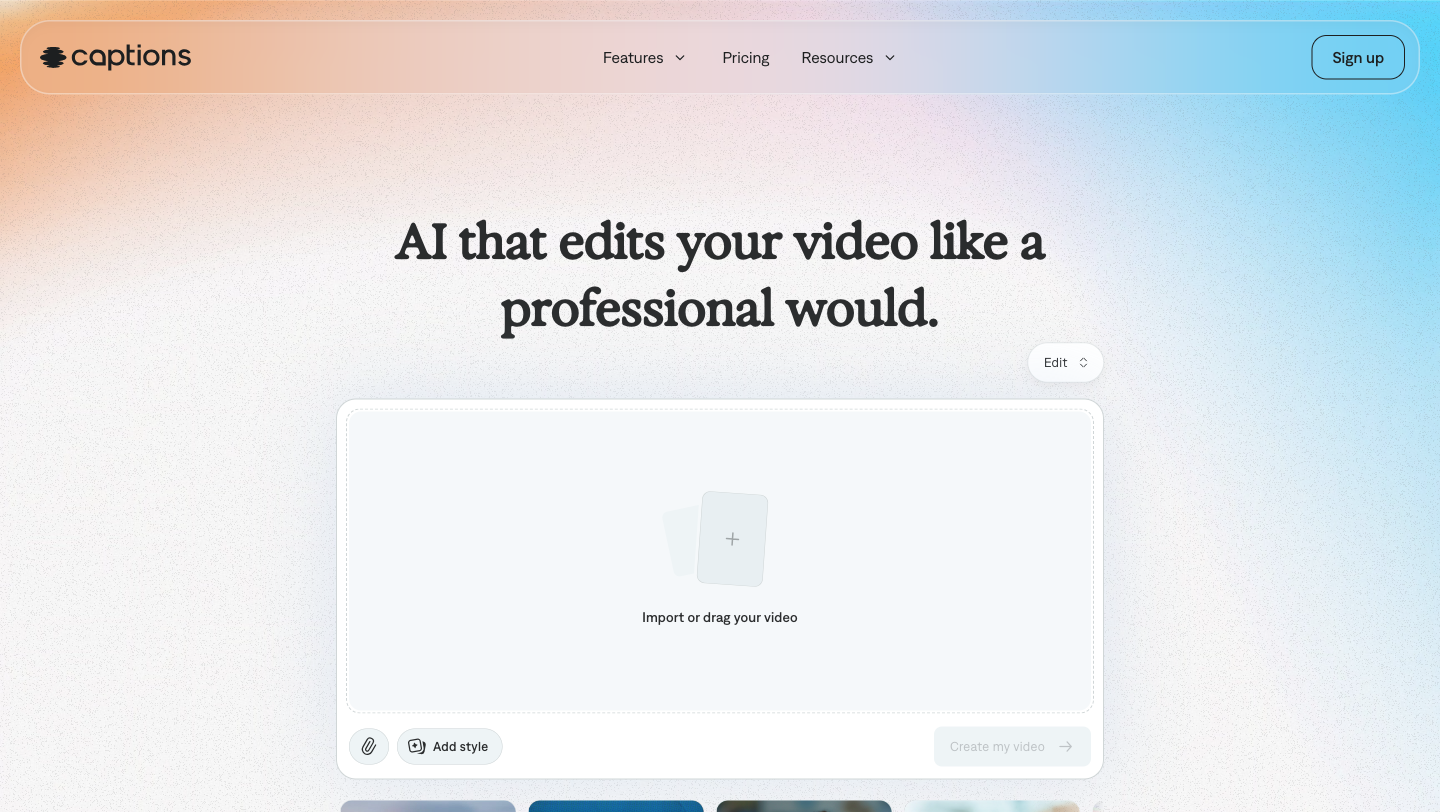
Captions is an AI-powered video editor and video generator built by Mirage, a New York City company focused on redefining how video gets made. The tool handles the full arc from raw footage to finished, shareable video: it cuts scenes, layers B-roll, adds transitions and music, generates on-screen captions in 100+ languages, and can dub voiceovers into 30+ languages, all without requiring timeline editing skills. Mirage launched Captions initially as a mobile app, and it is now also available as a web product under the same brand. What separates Captions from general-purpose video editors is its "AI Edit" system, which applies a chosen visual style to an entire video in one action. Users pick from a library of 20+ named styles (Prism Pro, Paper II, Vinyl, Film, Neon, Cinematic II and others) and the AI automatically assembles cuts, B-roll overlays, sound effects and music to match. The Max and Scale plans add a chat-based editor where users type natural-language instructions and the AI executes the edits directly. The platform targets individual content creators, agencies, small businesses and enterprise teams, with dedicated solutions pages for each segment. The avatar and AI Twin features are geared toward brands that need high volumes of spokesperson-style video without repeated shoot days: users generate a custom AI actor from a selfie or short clip, then reuse that actor across multiple videos with different outfits, backgrounds and scripts. The free plan covers basic editing tools including trimming, transitions and some media library assets; generative AI features require a paid subscription starting at $9.99/mo. The product was previously marketed as Mirage Studio before rebranding to Captions. It is built and maintained by NOCAP, Inc. d/b/a Captions.
How It Works
Starting on the Captions web app or mobile app, users upload a video clip or record directly within the app. For the AI Edit workflow, the user picks a style from a scrollable library of named templates. Each style has a distinct visual identity: "Paper II" lends a handcrafted aesthetic, "Vinyl" applies retro animations and effects, "Neon" brings high-contrast color treatment. The AI then automatically cuts scenes, selects and overlays B-roll footage, inserts transitions and sound effects, and produces a finished export. Users can refine any details in the app before downloading. For the chat-based editor (Max and Scale plans), users type editing requests in plain text. The editor handles requests ranging from concrete ("remove the pause at 0:23") to abstract ("make the opening feel more urgent"). It can also analyze the video and proactively suggest improvements based on stated goals. This lets non-editors iterate on a cut without learning timeline software. The caption generator runs automatically after a video is uploaded. It transcribes the audio and displays captions synced to the spoken words. Users then choose from 100+ caption templates (1 on the free plan), adjust fonts and colors, animate individual words, and emphasize key phrases. For translation, users select one or more target languages and Captions generates a translated voiceover or dubbed audio track that preserves the original speaker's tone across 30+ languages. For avatar and AI Twin creation, users either pick from a pre-built library of AI actors or upload a selfie or short reference clip to generate a personalized digital twin. The avatar is generated as a complete performance combining audio, video and visuals simultaneously. Outfits, backgrounds and delivery style can all be adjusted before export. Max plan users get 500 credits per month; Scale users get 1,400 credits per month with optional 2x or 4x usage multipliers.
Key Features
- ✓AI Edit styles library: Choose from 20+ named visual styles (Prism Pro, Paper II, Vinyl, Neon, Cinematic II and others) that automatically cut scenes, add B-roll, transitions and music in one action
- ✓Chat-based editor: Type natural-language editing instructions to add B-roll, zooms, sound effects or abstract changes; available on Max and Scale plans
- ✓Automatic caption generator: Transcribes audio and generates synced captions in 100+ languages with 100+ template styles on Pro plans and above (1 template on free)
- ✓AI Avatar and Digital Twin creation: Generate AI actors from a library or create a personalized digital twin from a selfie or short clip, with customizable outfits, backgrounds and delivery
- ✓AI video translation and dubbing: Translate and dub videos into 30+ languages while preserving the original speaker's tone; includes both voiceover and lip-sync dubbing options
- ✓AI fast fixes: One-tap tools to cut filler words, remove background noise, correct eye contact alignment, and remove or replace video backgrounds
- ✓Generative AI media: Generate custom B-roll footage, AI music, sound effects, and images directly within the editor on Max and Scale plans
- ✓AI Shorts and Reddit to Reel: Automatically convert long-form footage or Reddit threads into short-form vertical video clips
- ✓AI Censor and AI Denoise: Automatically detect and censor unwanted audio or visuals; dedicated noise reduction for cleaner audio
- ✓Enterprise seat management: Custom seat counts, bulk credit discounts, dedicated account management, training data exclusion and priority onboarding for enterprise customers
Best For
Pricing
Free
- Basic tools: trimming, transitions, media library assets
- 1 caption template
- No AI generative features
- Watermarked exports
Pro
- Basic editing features
- Captions in 100+ languages
- 100+ caption templates
- Export without watermarks
Max
- Everything in Pro
- AI Edit styles library (20+ styles)
- Chat-based editor
- AI Twin and AI avatars
- 500 credits/month
- AI B-roll, music, sounds, images, video generation
Scale
- Everything in Pro and Max
- 1,400 credits/month
- Customizable usage tiers (1x/2x/4x)
- Most sophisticated generative AI model tier
Enterprise
- Bulk credit discounts
- Custom seats
- Dedicated account management
- Training data exclusion
- Onboarding and priority support