OpusClip
Last updated:
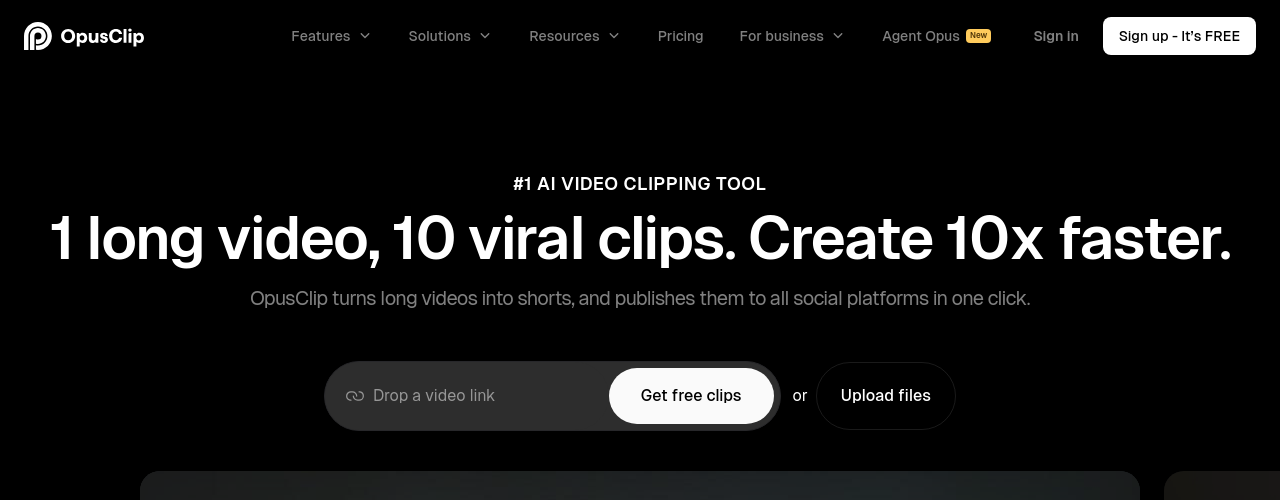
OpusClip is the most widely used AI video repurposing tool, with 16 million+ creators and businesses on the platform. Upload a long-form video (podcast episode, webinar, YouTube video, or recorded interview) and OpusClip's AI analyzes the content, identifies the highest-engagement moments, and cuts them into ready-to-post vertical clips. Each clip receives a virality score based on predicted engagement from content hooks, emotional delivery, and platform trends. The tool handles auto-reframing for vertical formats, caption generation in 20+ languages, speaker detection for multi-person conversations, and optional AI B-Roll insertion. A built-in social scheduler auto-posts to YouTube Shorts, TikTok, Instagram Reels, LinkedIn, X, and Facebook. In August 2025, OpusClip launched Agent Opus, a text-to-video tool that creates original videos from text prompts, articles, or URLs. Pro users can export XML timelines directly to Premiere Pro or DaVinci Resolve. OpusClip competes with Klap and Munch, differentiating on virality scoring accuracy and its creator-focused editing suite.
How It Works
You upload a video by file or URL. OpusClip's AI analyzes audio and visual content to identify clips with strong engagement potential. Each candidate clip receives a virality score based on emotional tone, hook quality, and content density. You review all scored clips, select the ones you want, and edit them in the clip editor to adjust timing, captions, and brand styling. Auto-reframing converts landscape video to vertical format using AI speaker tracking. Captions are generated automatically and styled with custom fonts and animations. The Pro tier adds AI B-Roll, a social scheduler, and XML export for professional editing software. Billing uses a credit system based on source video length: a 30-minute upload costs 30 credits whether you export 1 clip or 15. Monthly credits reset each billing period.
Key Features
- ✓AI clip detection: Analyzes long-form video to identify the most engaging moments using AI
- ✓Virality scoring: Each clip is scored for predicted engagement based on hooks, tone, and structure
- ✓Auto-reframing: Converts landscape video to vertical format with AI speaker tracking
- ✓Auto-captions: Generates accurate captions in 20+ languages with customizable styling
- ✓Brand templates: Apply custom fonts, colors, and logo overlays consistently across all clips (paid plans)
- ✓Social scheduler: Direct auto-posting to TikTok, Reels, Shorts, LinkedIn, X, and Facebook
- ✓AI B-Roll insertion: Adds relevant stock footage or AI-generated visuals to clips (Pro only)
- ✓XML export: Export clip timelines to Premiere Pro or DaVinci Resolve for post-production (Pro only)
- ✓Speaker detection: Tracks individual speakers in multi-person conversations for accurate reframing
- ✓Agent Opus (text-to-video): Create original videos from text prompts, articles, or URLs
- ✓Batch processing: Queue multiple videos with priority handling on higher tiers
- ✓Analytics dashboard: Track clip performance across connected social platforms in one view
- ✓Credit-based system: Charged per source video minute, not per clip exported
Best For
Frequently Asked Questions
How many clips does OpusClip generate per video?
It varies by content. A 45-minute podcast typically produces 5 to 10 clips. The AI scores all candidates and you choose which to keep, so you are not locked into a set number.
Does OpusClip work for non-English content?
Yes, captions and clip detection work in 20+ languages. Spoken content in major European, Asian, and other languages is supported, though accuracy is highest with clear English audio.
What is the difference between the Free and Starter plans?
The Free plan gives 60 credits of video processing per month with an OpusClip watermark and clips expire after 3 days. Starter ($15/mo) removes the watermark, increases processing to 150 credits, and unlocks all caption styles and the full editor.
Why do some users bypass the social scheduler?
TikTok connections require frequent re-authentication and posts occasionally fail silently. For critical scheduling, downloading and posting manually or using a tool like Buffer alongside OpusClip is more reliable.
Can I export clips to professional editing software?
Yes, but only on the Pro plan. XML export to Premiere Pro and DaVinci Resolve preserves clip structure, captions, reframing data, and B-Roll placement.
What is Agent Opus?
Agent Opus is a text-to-video tool that creates original videos from text prompts, articles, or audio. It is a separate creation tool bundled into the OpusClip ecosystem, not a replacement for the core clipping feature.
Pricing
Free
- 60 credits/month
- Up to 1080p rendered clips
- Auto reframe
- AI captions with emoji and keyword highlighter
- OpusClip watermark on exports
- Clips expire after 3 days
Starter
- 150 credits/month
- No watermark
- AI clipping with Virality Score
- AI animated captions in 20+ languages
- Auto post to YouTube Shorts, TikTok, IG Reels
- Powerful editor
- 1 brand template
- Filler and silence removal
Pro
- 300 credits/month (or 3,600/year on annual plan)
- 2 team seats
- 2 brand templates
- 6 social account connections
- AI B-roll
- 10+ video import sources
- Export to Adobe Premiere Pro and DaVinci Resolve
- Multiple aspect ratios (9:16, 1:1, 16:9)
- Social media scheduler
- Custom fonts
- Speech enhancement
- Intercom chat support
Business
- Custom credits, team seats, and social account connections
- Priority project processing
- Tailored brand assets: brand templates, fonts, vocabulary
- Dedicated storage
- API and custom integrations
- Master Service Agreement (MSA)
- Priority support with dedicated Slack channel
- Enterprise-level security