Roll
Last updated:
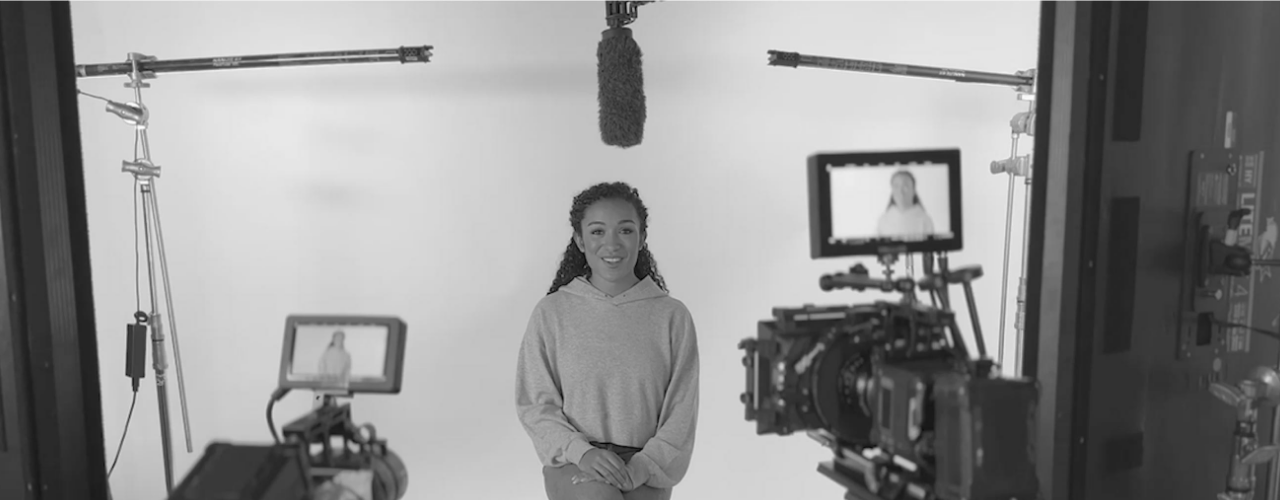
Roll is an AI video production platform that replaces a traditional film crew with your iPhone camera and cloud AI processing. The pitch is direct: professional-grade video should not require expensive gear, dedicated editors, or an on-location crew. Roll handles framing, lighting, effects, editing, and publishing automatically. The AI acts as a virtual director of photography. Body rect sensing technology keeps subjects properly framed, and automatic lighting detection adjusts for real-world conditions. Once recorded, Roll generates a complete edited cut from raw footage in minutes — no manual editing required. For teams, the text-based editor lets remote collaborators make precise cuts, change camera angles, and review edits in real time without scheduling a separate editing session. Where Roll differentiates itself is in remote video call quality. The platform records studio-quality calls, not compressed video conference captures, then applies post-production AI effects after recording. The result looks like a produced broadcast segment. Pricing starts at $49 per user per month billed annually, targeting content teams, production studios, and corporate video departments that need consistent output without full production budgets.
How It Works
You set up Roll on your iPhone and connect to the Roll platform. The AI uses body rect sensing to frame you within the shot and scans ambient lighting to optimize exposure automatically. For remote calls, multiple participants join from their own iPhones, each contributing a high-quality video stream. After recording, Roll cloud AI processes the footage and generates an edited cut. This includes selecting the best angles, cutting dead space, and applying any requested special effects or VFX. The edit typically delivers within minutes of the session ending. If refinement is needed, the text-based editor lets you and collaborators edit precisely — cut lines by selecting text in the transcript, switch camera angles with a click, and finalize together in real time. The platform automatically reformats the final video for all major sharing platforms, and publication happens directly from Roll without downloading and re-uploading files.
Key Features
- ✓AI body rect sensing: Automatically frames subjects within the shot for perfectly composed video
- ✓Automatic lighting detection: Adjusts exposure and lighting based on real-world conditions without manual input
- ✓AI auto-edit: Generates a complete edited video cut from raw footage within minutes of recording
- ✓Remote video capture: Records studio-quality calls and conversations, not compressed video conference feeds
- ✓VFX and special effects: Applies professional visual effects during post-production AI processing
- ✓Text-based editor: Edit video by selecting transcript text to cut lines or switch between camera angles
- ✓Real-time team collaboration: Multiple collaborators can review and make edits simultaneously from remote locations
- ✓Multi-platform reformatting: Automatically reformats finished video for every major sharing platform
- ✓Direct publishing: Publish final videos to platforms directly from Roll without downloading and re-uploading
- ✓Source file access: Paid plans retain access to original source files alongside AI-processed outputs
- ✓iPhone-native recording: Built to leverage iPhone camera quality with professional production processing
- ✓Post-production AI processing: Cloud AI handles technically complex editing steps that normally require specialist software
Best For
Frequently Asked Questions
How does the free trial work?
Roll gives you two hours of recording time with the full version of the platform. You can explore the full depth and breadth of Roll's features, including AI auto-edit and VFX, so you know exactly what to expect before purchasing a paid plan.
How do monthly limits work?
Based on your subscription tier, you get a set number of recording hours per month. You can record Roll calls up to that limit and perform any post-production actions on those calls, including accessing source files and AI-processed files like auto-edits and VFX exports. Recording hours reset every month and unused hours do not roll over.
Does Roll require special iPhone equipment?
No special accessories are needed. Roll is designed to produce professional-quality video using a standard iPhone camera. Optional stabilizers or microphones can improve results but are not required to use the platform at its core capability level.
How long does the AI editing take after recording?
Roll AI processes footage and delivers an edited cut within minutes of the recording session ending. The exact time depends on recording length and complexity, but the platform is built for fast turnaround rather than overnight batch processing.
What is the difference between Creator and Pro plans?
Creator gives individual users or small teams access to Roll's core AI production features at $49 per user per month. Pro includes 10 hours of monthly recording time and 3 additional editors at $199 per user per month, designed for heavier production workloads. Enterprise covers larger organizations with custom needs.
Pricing
Free
Try before you buy
- 2 hours of recording time (one-time)
- Full feature access
- Multicam Capture
- Lighting Detection
- Cinematic Bokeh
- Autoedits
- VFX Camera Effects
Creator
For individuals
- 3 hrs / month recording time
- AI auto-edit
- VFX exports
- Source file access
- Text-based editor
- Multi-platform reformatting
- Direct publishing
Pro
For pro creators & small teams
- 10 hrs / month recording time
- Everything in Creator
- 3 Additional Editors
- Off Screen Producers
Enterprise
Custom plans — required for companies with over $1M annual revenue
- Custom recording hours
- Custom Editors / Collaborators
- Off Screen Producers
- Admin Management
- Centralized Billing
- Dedicated Support