Twelve Labs
Last updated:
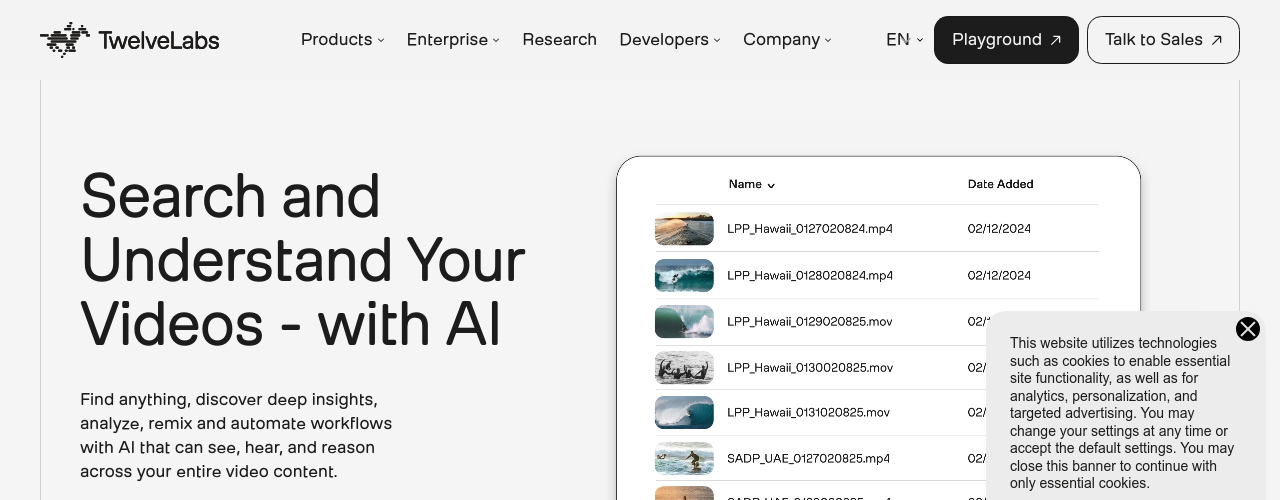
Twelve Labs is a video intelligence platform that gives developers API access to AI models capable of understanding video content the way humans do. Instead of relying on metadata or transcripts alone, Twelve Labs' models — Marengo and Pegasus — simultaneously process video frames, audio, spoken words, and on-screen text to build a rich, multimodal understanding of each video. Developers use this to build applications that can search video libraries with natural language queries ('find all moments where a person enters through the left door'), generate summaries, auto-create clips for social media, and classify visual events at scale. With 30,000+ developers on the platform and backers including NVIDIA, Samsung, Intel, Databricks, and Snowflake, Twelve Labs is a foundational infrastructure layer for video-native AI applications. Industries using it include media and entertainment, advertising, automotive, and government security — use cases range from content discovery to real-time threat detection.
How It Works
Start by indexing your video content through the Twelve Labs API. The Marengo model processes and indexes each video for fast multimodal search — you can then run natural language queries against your video library and get back timestamps, clips, and relevance scores. The Pegasus model adds generative capabilities: analyze a video to get summaries, highlight reels, chapter markers, or answers to specific questions about the content. The Embed API lets you create multimodal embeddings from video, audio, image, or text inputs for use in vector databases and recommendation systems. Everything runs through REST API with Python and Node.js SDKs available. The Free plan gives 600 minutes of indexing to test the platform. The Developer plan bills per usage with no upfront commitment. Enterprise accounts get dedicated infrastructure, custom rate limits, and model fine-tuning options.
Key Features
- ✓Multimodal video understanding: indexes visual, audio, speech, and on-screen text together for human-like video comprehension
- ✓Natural language video search: query video libraries in plain English and get back precise timestamps and clips
- ✓Marengo model: purpose-built video search and embedding model with fast, accurate multimodal retrieval
- ✓Pegasus model: generative video AI for summaries, chapter markers, highlight reels, and content analysis
- ✓Embed API: create multimodal embeddings from video, audio, image, or text for custom AI applications
- ✓Automated clip generation: extract shareable highlight clips from long-form content automatically
- ✓Content summarization: generate concise summaries and headlines from any video with a single API call
- ✓Scene classification: categorize and tag video content at the scene level without manual review
- ✓Natural language queries: ask questions about video content and get timestamp-level answers
- ✓Real-time processing: index and analyze video content as part of live or near-live workflows
- ✓Analyze API: extract structured insights, topics, text in video, and logos from indexed content
- ✓30,000+ developer community: active developer ecosystem with SDKs, sample apps, and documentation
Best For
Frequently Asked Questions
Do I need to register my credit card to use the Free plan?
No, you do not need to register a credit card to use the Free plan. When you successfully create and log in your account with TwelveLabs, you can start using the Free plan right away.
What happens to my index if I switch from the Free to Developer plan?
When you switch from Free to Developer plan, any remaining index that has not reached the 90 days limit will be automatically given unlimited access. That means you can continue to use such an index as long as you are in the Developer plan.
How do I upgrade to the Developer plan?
When you log in your account with Twelve Labs for the first time, you are automatically assigned a Free plan. You can upgrade to a Developer plan anytime by registering a credit card and selecting a Developer plan in the Dashboard. TwelveLabs does not automatically upgrade your plan based on your usage.
How does the 600 minutes Free plan work?
As part of the Free plan, Twelve Labs provides 600 minutes free of charge to try out the platform. You can upload up to 600 minutes of video. This amount is accumulated, meaning even if you delete your indexes or videos, this amount does not decrease.
Can I fine-tune models?
Yes. Twelve Labs can fine-tune models based on your business requirements and domain specifics. Contact sales to discuss options and pricing.
What happens to my billing if I delete my account or indexes?
If you delete your account or indexes, you are still responsible for paying your service fee until the deletion takes effect. This action takes effect immediately and cannot be reversed.
What is included in the infrastructure fee?
The infrastructure fee includes all services the platform needs to generate, manage, and use embeddings for downstream tasks such as search and video-to-text analysis.
How do I downgrade from Developer to Free plan?
Go to the Dashboard, select Billing, then select Cancel Enrollment and follow the instructions. After downgrading, your indexes expire 90 days from their creation date and the platform maintains the total duration of your indexed videos without resetting it.
What does index access mean in the Free plan?
Index access is the maximum duration Twelve Labs keeps your index data in the database. On the Free plan, each index is kept for 90 days. After this period, all index data is cleared and cannot be restored. Upgrade to the Developer plan to retain index access indefinitely.
How is the infrastructure fee calculated if I switch plans mid-month?
If you upgrade from Free to Developer, the infrastructure fee is calculated from the day you upgrade to the end of that billing cycle. If you downgrade from Developer to Free, you still pay the infrastructure fee for the days you were on the Developer plan within that billing cycle.
Pricing
Free
- 600 minutes of video indexing
- 90-day index access
- Up to 100 videos per index
- Search, Embed, and Analyze APIs
- No credit card required
Developer
- $0.042/min video indexing
- $4/1,000 search queries
- $0.021/min Analyze API input
- Unlimited indexing and index access
- Up to 100,000 videos per index
Enterprise
- Committed use contracts
- Custom rate limits
- Dedicated infrastructure
- Model fine-tuning
- SLA and priority support