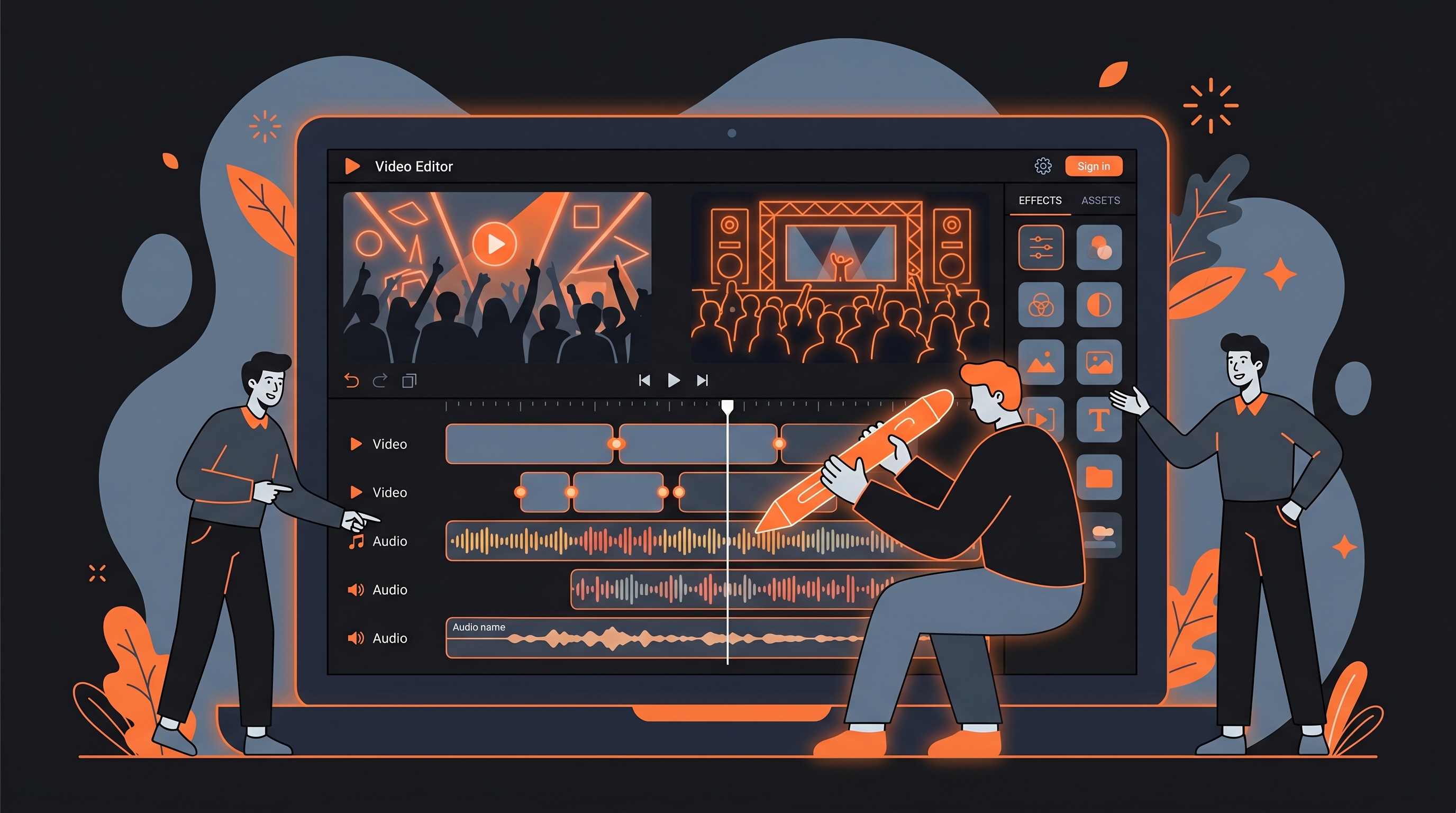
9 Best Podcast Editing Software in 2026


If you're still editing every episode yourself while managing brand deals, guest logistics, and distribution across five platforms, the editing workflow is your bottleneck. Podmanager AI covers the full production pipeline from noise reduction to multi-platform publishing, cutting time in post-production without adding new tools to the stack.
We evaluated over 20 podcast audio editing software tools in our directory, comparing AI editing features, pricing, transcription quality, and real user feedback to find the best options for professional creators earning $3K to $20K per month. The AI audio editing market hit $2.02 billion in 2025 and is growing at 29.5% annually. The tools available today are noticeably more capable than they were a year ago.
Quick Picks
| Tool | Best For |
|---|---|
| Podmanager AI | All-in-one podcast production |
| AutoPod | Video podcast editing in Premiere Pro |
| ElevenLabs | Voice cloning and AI narration |
| Content Lab | B2B podcast repurposing |
| Outcast | Podcast-to-content automation |
| Salina | Multilingual podcast distribution |
| LOVO AI | Voice generation with video editing |
| Rythmex | Affordable podcast transcription |
| Clips AI | Developer-built clip pipelines |
Full Comparison
| Tool | Best For | Starting Price | Key Feature |
|---|---|---|---|
| Podmanager AI | All-in-one production | Free (limited) | AI noise reduction + auto show notes |
| AutoPod | Video podcast editing | $29/mo | 10-camera auto-switching |
| ElevenLabs | Voice cloning | Free (10K credits) | Ultra-realistic TTS in 70+ languages |
| Content Lab | B2B repurposing | Free (1 hr/mo) | Auto blog + social from episodes |
| Outcast | Content automation | $39/mo | Prompt Packs for auto content |
| Salina | Multilingual distribution | Free (3 hrs/mo) | 85+ language translation |
| LOVO AI | Voice + video editing | Free (5 min/mo) | 500+ voices + built-in editor |
| Rythmex | Transcription | Free (5 min trial) | 60+ language transcription |
| Clips AI | Developer pipelines | Free (MIT license) | Transcript-based clip detection |
Podmanager AI: Best for All-in-One Podcast Production
Podmanager AI consolidates recording, AI editing, guest management, and multi-platform publishing into a single workspace built specifically for podcasters. For professional creators managing 15+ roles, it removes the need to juggle separate tools for noise reduction, transcription, show notes, and distribution.
The platform runs on PodCoins, a credit system that governs AI feature usage. Core tools include AI noise reduction, loudness normalization, multi-track mixing, and speaker separation. It also generates show notes, chapter markers, social content, and cover art variants automatically from each episode. Over 80% of content creators now use AI in their workflows (Wondercraft 2025 survey of 514 creators). Podmanager AI covers more of the podcast production pipeline than most competitors.
Key features:
- AI noise reduction and loudness normalization to broadcast standards
- Multi-track mixing with independent speaker audio editing
- Auto-generated show notes, chapter markers, and social content
- Voice cloning for AI-generated audio segments
- Multi-platform publishing to Spotify, Apple Podcasts, and YouTube
Pricing: Free tier (3,000 PodCoins/mo, 2 episodes, 30-min max). Pro at $29.99/mo (10,000 PodCoins, 60-min episodes). Studio at $69.99/mo (20,000 PodCoins, multi-track editing, 120-min episodes). Enterprise pricing is custom.
Pros:
- Covers the full pipeline from recording to distribution without external tools
- Guest management system tracks outreach, bios, and availability in one place
- Claims up to 90% editing time reduction for standard podcast workflows
Cons:
- Learning curve for navigating the PodCoin credit system and feature gating
- Limited independent user reviews on major platforms (no G2, Capterra, or TrustRadius presence)
- Episode slot limits on lower tiers restrict high-volume producers
AutoPod: Best for Video Podcast Editing in Premiere Pro
AutoPod is the only tool on this list that lives inside Adobe Premiere Pro. It automates multi-camera editing, social clip creation, and jump cut generation without requiring a separate upload or cloud workflow. If you record video podcasts with two or more cameras, AutoPod analyzes audio tracks and switches angles automatically, producing what many editors describe as a near-finished timeline without manual intervention.
The Multi-Camera Editor supports up to 10 cameras and 10 microphones, handling solo shots, two-shots, three-shots, and wide shots. The Social Clip Creator generates clips in 1920x1080, 1080x1350, and 1080x1920 formats with optional auto-reframe and watermarks. One Reddit user reported that AutoPod made video podcasts "85x less work."
Key features:
- Multi-camera auto-switching based on speaker audio detection (up to 10 cameras)
- Jump Cut Editor with customizable decibel silence threshold
- Social Clip Creator with batch export in multiple aspect ratios
- Preset saving for consistent editing across episodes
- DaVinci Resolve support via separate downloader
Pricing: $29/mo per license with a 30-day free trial. Annual billing includes one month free. Requires Adobe Premiere Pro 2023+.
Pros:
- One-click multi-camera timeline assembly saves hours of repetitive editing per episode
- Batch social clip export in three aspect ratios with watermarks and end pages
- Works natively inside Premiere Pro with no file uploading or cloud processing
Cons:
- Trustpilot rating of 2.5/5 with multiple complaints about billing after cancellation; users report charges months after canceling
- No transcript editing, filler word removal, or audio enhancement; handles visual editing only
- Locked to Adobe Premiere Pro (and DaVinci Resolve); no Final Cut Pro or standalone option
ElevenLabs: Best for Voice Cloning and AI Narration
Rated 4.8/5 on G2, ElevenLabs sits at the top of the voice generation category. For podcast producers, it covers AI narration, voice cloning, dubbing into 70+ languages, and voice isolation for cleaning up recordings. The Studio Projects feature gives paragraph-level control over pacing and pronunciation for long-form content.
Professional creators use ElevenLabs for podcast intros, AI co-host segments, episode dubbing for international audiences, and voice isolation to remove background noise from interviews. A verified user on WorkflowAutomation.net called it "a game-changer for our podcast and video production" (December 2025). It also supports music generation and sound effects. For a broader look at voice generation options, see 6 Best AI Voice Generators in 2026.
Key features:
- Ultra-realistic text-to-speech across 70+ languages with contextual emotion
- Instant Voice Cloning from a short audio sample; Professional Voice Cloning for commercial use
- Voice Isolator removes background noise from any recording
- Studio Projects editor for long-form audio with multi-speaker management
- Full API access for programmatic integration
Pricing: Free tier (10,000 credits/mo, non-commercial). Starter at $5/mo (30,000 credits). Creator at $22/mo (100,000 credits, Professional Voice Cloning). Pro at $99/mo (500,000 credits). Scale at $330/mo. Business at $1,320/mo. Enterprise pricing is custom.
Pros:
- Industry-leading voice quality in English; rated 8.5/10 on WorkflowAutomation.net across 21 reviews
- Active development: Studio opened to free users (Feb 2025), GenFM podcast features, Conversational AI 2.0 (June 2025)
- Enterprise compliance options including HIPAA BAAs and custom SSO
Cons:
- Credit system is confusing; one reviewer noted costs run approximately 3x advertised pricing for real projects
- Multilingual voice quality drops significantly outside English, with mispronunciation and unnatural stress patterns
- Voice data retained up to 3 years by default unless users opt out via CCPA settings
Content Lab: Best for B2B Podcast Repurposing
Content Lab by Goldcast turns podcast recordings into blog posts, email recaps, social clips, and captions without switching tools. Rated 4.7/5 on G2 and 4.6/5 on Capterra, it targets B2B marketing teams that need repeatable content output from every recording.
The platform processes video recordings using AI to identify key moments, quotes, and natural breakpoints. It then generates draft blog posts, social captions, and branded short clips automatically. A G2 user wrote: "Love that it makes video content repurposing so intuitive and seamless. Have been using it to turn podcast episodes into blog posts, social media posts, shorter video snippets." Processing capacity is measured in hours per year, with plans ranging from 35 to 120 hours annually.
Key features:
- AI-generated short clips, blog drafts, social captions, and email recaps from episodes
- Segment detection identifies engaging moments without manual scrubbing
- Brand voice training so AI-generated content matches company tone
- Speaker identification for accurate transcripts and attribution
- AI search across entire video library by topic or keyword
Pricing: Free tier includes 1 hour of recording per month. Paid plans start at $99/mo with expanded processing limits.
Pros:
- End-to-end workflow from recording to repurposing in a single B2B-focused platform
- Strong review presence (G2 4.7/5, Capterra 4.6/5) with verified user testimonials
- Branded templates control visual styling on all clip exports
Cons:
- $99/mo starting price is significantly higher than creator-focused alternatives
- Designed primarily for B2B marketing teams; individual podcast creators may find the interface corporate-focused
- Platform is still maturing with frequent changes; a G2 reviewer noted it is not ideal "if you want a platform that is mature and will change minimally"
Outcast: Best for Podcast-to-Content Automation
Upload one recording to Outcast and it generates transcripts, show notes, social posts, newsletters, blog drafts, and video clips. Its Prompt Packs fire automatically on every episode, producing templated content without the blank-page problem that slows down post-production.
The platform accepts uploads or URL pastes from YouTube, TikTok, Instagram, Facebook, Twitter/X, and Reddit. Transcription covers 17 languages with speaker identification and timestamps. The Clip Editor finds viral moments, adds captions, and exports audiograms. An AI Chatbot feature trains on your episode library and can be embedded on your site. The global podcast market is projected at $32.65 billion in 2026 (Mordor Intelligence).
Key features:
- Prompt Packs auto-generate show notes, LinkedIn posts, newsletters, and timestamps on every upload
- AI Studio for drafting blogs, emails, and images inside each episode workspace
- Clip Editor with captioned video clips and audiograms
- Episode Chatbot trainable on your full library, embeddable with custom branding
- RSS feed import for automatic episode ingestion
Pricing: Base at $39/mo (300 upload minutes, 1 team seat). Plus at $59/mo (800 minutes). Max at $299/mo (10,000 minutes, 5 seats). All plans include a 7-day free trial. Annual billing available at roughly 50% off.
Pros:
- Prompt Packs eliminate repetitive content creation by auto-generating across formats with every upload
- Direct founder support and non-profit discounts available
- Team collaboration with project management built in
Cons:
- 15-minute maximum clip export length limits longer highlight segments
- No verified independent user reviews on G2, Capterra, or TrustRadius
- Pricing details beyond the trial require navigating the sign-up flow
Salina: Best for Multilingual Podcast Distribution
If your audience spans multiple language markets, Salina is where to start. It transcribes and translates recordings into over 85 languages, then generates show notes, social posts, SEO articles, and video clips from each episode. Its core differentiator is figure-of-speech detection, which preserves idioms and cultural references during translation rather than producing generic machine output.
For professional creators building international audiences, Salina solves a specific bottleneck: expanding into new language markets without hiring translators or recreating content manually. The global podcast listener base is projected to reach 619 million in 2026 (Mordor Intelligence). Upload one recording and Salina handles transcription with speaker detection, then generates content in your target languages.
Key features:
- 85+ language translation with cultural context and figure-of-speech preservation
- Auto-generated show notes, social posts, and SEO articles from each episode
- Speaker detection with automatic labeling across multiple speakers
- Video highlight clips with captions
- Meeting assistance for Zoom, MS Teams, and Google Meet
Pricing: Free tier (3 hours of transcription/mo, 8 Salina Chat sessions, watermarked exports). Pro at $20/mo (30 hours, unlimited chat, watermark-free exports, AI voice dubbing).
Pros:
- 85+ language support is the widest on this list, at $20/mo for the Pro tier
- Figure-of-speech detection produces more natural translations than literal machine output
- $20/mo Pro tier undercuts most competitors on per-hour transcription cost
Cons:
- May produce transcription errors with non-native English speakers or heavy accents
- Limited independent user reviews; no G2, Capterra, or TrustRadius presence found
- Smaller feature set compared to all-in-one production platforms like Podmanager AI
LOVO AI: Best for Voice Generation with Video Editing
LOVO AI combines 500+ AI voices, voice cloning, a built-in video editor, auto subtitles, and an AI scriptwriter in one platform called Genny. The Pro V2 voices launched in May 2025 accept natural language direction for emotion, pace, and accent, giving podcasters more control over AI-generated narration.
LOVO serves over 2 million users and offers voice cloning from just one minute of audio. The all-in-one approach means you can generate voiceovers, sync them to video, add animated subtitles, and export without switching tools. That said, the reliability track record warrants a close look before committing.
Key features:
- 500+ AI voices across 100+ languages with directable Pro V2 voices
- Voice cloning from one minute of audio
- Built-in video editor (Genny) with audio/video sync
- Auto subtitle generation and animation in 20+ languages
- AI scriptwriter and image generator
Pricing: Free tier (5 min/mo voice generation, 5 projects). Basic at $24/user/mo (2 hr/mo). Pro at $24/user/mo (5 hr/mo, 50% promo). Pro+ at $75/user/mo (20 hr/mo). Enterprise pricing is custom.
Pros:
- All-in-one platform combining TTS, video editing, subtitles, and AI writing reduces tool switching
- G2 and Capterra aggregated rating of 4.4/5 with praise for voice quality and variety
- Pro V2 directable voices accept natural language instructions for tone and pacing
Cons:
- Trustpilot rating of 1.9/5 from 77 reviews with worsening trajectory through 2025 and 2026
- Multiple Capterra users report voices deleted without warning or explanation, breaking existing projects
- Service reliability declined significantly; Trustpilot reviewers report persistent server errors making the platform "unusable" as of January 2026
Rythmex: Best for Affordable Podcast Transcription
Rythmex converts audio and video files to text in over 60 languages and 20+ file formats. Podcasters, journalists, and educators use it to generate transcripts quickly, with processing typically completing in one to three minutes regardless of file length.
The platform claims 90 to 95% accuracy on clear recordings with standard accents, though accuracy drops to 80 to 85% with multiple speakers, background noise, or strong accents. The AI Text Assistant adds a query layer: ask it to summarize content, extract key points, or reformat text. At $25/mo for the Premium plan (including 2 free hours and $5/hr additional), Rythmex undercuts many competitors on per-hour transcription cost.
Key features:
- 60+ language support with automatic language detection
- 20+ format compatibility (MP3, WAV, OGG, AMR, WMA, MP4)
- Built-in transcript editor with search and replace
- AI Text Assistant for querying and reformatting transcriptions
- Pay-as-you-go option without subscription commitment
Pricing: Free trial (7 days, 5 minutes). Premium at $25/mo (2 free hours, $5/hr additional, up to 3 team accounts). Enterprise at $3,000/yr (unlimited accounts, custom support).
Pros:
- Fast processing with transcripts ready in under a minute on most files
- Pay-as-you-go option suits light users who do not need a monthly subscription
- GetApp rating of 5.0/5 (from 2 reviews) with praise for ease of use
Cons:
- Accuracy drops significantly with multiple speakers, background noise, or non-standard accents
- No mobile app and no API available; browser-only platform
- Very few public reviews across any platform; limited social proof for a paid tool
Clips AI: Best for Developer-Built Clip Pipelines
Clips AI is an open-source Python library (MIT license) that converts longform podcast and interview recordings into short clips using transcript-based topic detection. With 471 GitHub stars and 92 forks, it is the only free podcast editing software on this list with zero usage caps, no cloud dependency, and full source code access.
The clipping algorithm uses the TextTiling method extended with BERT embeddings to detect natural topic shifts in a transcript. Rather than cutting at arbitrary time marks, it segments content at sentence-level boundaries that correspond to coherent topics. The resizing module uses Pyannote speaker diarization to dynamically reframe 16:9 video to 9:16 vertical format, keeping the active speaker in frame. Everything runs locally on your machine.
Key features:
- Transcript-based clip detection using TextTiling + BERT embeddings
- Speaker-aware video resizing from 16:9 to any target aspect ratio
- WhisperX transcription integration with word-level timestamps
- PyPI installable via pip with no API key or account required
- Full MIT-licensed source code on GitHub
Pricing: Completely free and open source (MIT license). No paid tiers, no usage limits, no cloud costs.
Pros:
- Zero cost with no usage caps; runs entirely on local hardware
- Clip boundaries align to natural topic transitions, not arbitrary time cuts
- Full source code access lets developers customize the algorithm
Cons:
- Requires Python development skills; not a GUI tool for non-technical podcast creators
- Limited to clipping and resizing; no audio enhancement, noise reduction, or publishing features
- Small community (471 stars, 3 contributors) compared to commercial alternatives
How We Chose These Tools
We started with our directory of over 150 AI tools and filtered to every tool tagged under Audio AI, Video Editing, and Repurposing & Clips that serves podcast production workflows. From that pool, we selected 9 tools that genuinely address different parts of the podcast editing pipeline: production, voice generation, transcription, repurposing, and distribution.
Each tool was evaluated on its features (drawn from our database), pricing structure, and real user feedback from G2, Capterra, Trustpilot, GetApp, Product Hunt, Reddit, and independent review sites. We prioritized tools that solve specific professional creator pain points: time bandwidth collapse, multi-platform distribution, and the shift from solo production to repeatable systems.
We did not fabricate testing claims. Where a tool lacks independent reviews, we say so directly. Ratings and user quotes are attributed to their original sources. Professional creators at the $3K to $20K/mo revenue range need tools that save time without introducing new reliability problems, and our rankings reflect that priority.
Related AI Tools
Outcast
Content repurposing platform that transforms videos, podcasts, and recordings into clips, transcripts, show notes, social posts, newsletters, and blog content. Upload files or paste URLs from YouTube, TikTok, Instagram, Facebook, Twitter/X, or Reddit. Includes AI Studio, Clip Editor, Prompt Packs, Chatbots, and Long-Form Writer. 7-day free trial available.
ElevenLabs
ElevenLabs is an AI audio platform that generates ultra-realistic text-to-speech in 70+ languages, with voice cloning, music generation, sound effects, speech-to-text transcription, and conversational AI agents. It serves creators, developers, and enterprises through a credit-based system, letting users produce, dub, and deploy human-quality audio at scale via browser or API.
Podmanager Ai
PodManager AI handles every step of podcast production, from recording and editing to publishing and promotion. It automates show notes, transcripts, social clips, and multi-platform distribution, helping independent podcasters and network teams launch polished episodes without technical complexity or expensive outsourcing.
Frequently Asked Questions
People Also Ask
Found this article helpful?
Share it with others or upvote to help more people discover it.