HypeNest
Last updated:
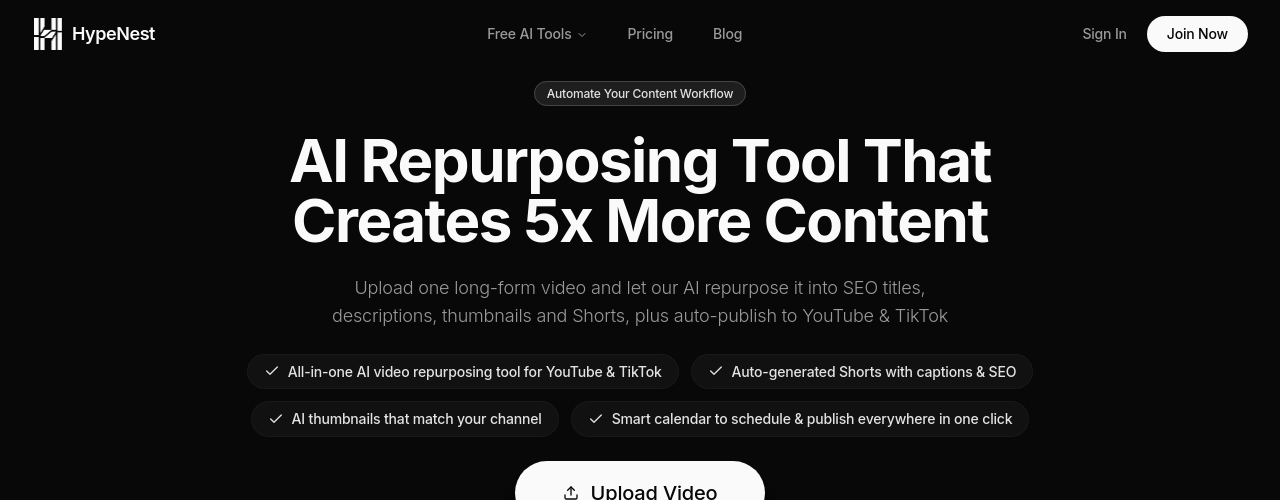
HypeNest is an AI workflow tool that turns a single long-form video into a full set of publish-ready outputs: short clips, thumbnails, and SEO metadata for YouTube and TikTok. Upload a file or paste a YouTube link, and the platform handles the asset generation. You review and edit each output before scheduling or publishing. The tool addresses a specific bottleneck for creators and teams: the gap between producing long-form content and maintaining a consistent short-form presence. Instead of manual clipping, writing, and uploading, HypeNest compresses those steps into a review-and-approve workflow. Plans start at $0 with 150 monthly credits. Paid plans (Starter at $15/month, Pro at $27/month) remove watermarks, increase credit limits, raise file size caps, and improve processing priority.
How It Works
Start by uploading a video file or pasting a YouTube URL into the HypeNest dashboard. The platform processes the video and generates a set of outputs: short clips, thumbnail options, and SEO-ready titles, tags, and descriptions. You review the generated assets, make any edits to copy or trim points, and approve what you want to publish. Once approved, HypeNest handles publishing to your connected YouTube and TikTok accounts on a schedule you define. The workflow supports both direct file upload and YouTube-based import, so you can work from existing published videos or new recordings without a separate download step.
Key Features
- ✓Short clip generation: Extract multiple short-form moments from one long-form source video
- ✓SEO asset creation: Generates titles, tags, and descriptions optimized for YouTube and TikTok
- ✓Thumbnail generation: AI-generated thumbnail options with manual upload control
- ✓YouTube publishing: Prepare and publish content directly to YouTube, including Shorts
- ✓TikTok publishing: Schedule and publish short-form clips to TikTok
- ✓YouTube URL import: Paste a YouTube link to start without a manual file download
- ✓Review and edit workflow: Refine clips, titles, descriptions, and thumbnails before publishing
- ✓Scheduled publishing: Queue content for staggered publishing across platforms
Best For
Frequently Asked Questions
What do I get from one upload?
Hypenest turns one long-form video into a set of publish-ready assets including clips, titles, descriptions, tags, and thumbnail options that you can review before publishing.
Can I edit AI-generated outputs?
Yes. The workflow is designed for review and control. You can refine titles, descriptions, thumbnails, clips, and other generated assets before scheduling or publishing.
Does it support YouTube and TikTok?
Yes. Hypenest supports publishing preparation for both YouTube and TikTok. Connect your accounts and schedule content to both platforms from the same dashboard.
Can I start from a file upload or from YouTube?
Yes. Hypenest supports both direct video upload and YouTube-based workflows. Paste a YouTube link to import a video without a separate download step.
How does pricing work?
Plans are based on credit limits and feature access. The Free plan includes 150 credits/month with a watermark on clips. Starter ($15/month) gives 600 credits, removes the watermark, and raises the upload cap to 3GB. Pro ($27/month) gives 1,500 credits and the highest processing priority.
Pricing
Free
- 150 credits/mo
- Auto publish to YouTube & TikTok
- Standard processing
- Watermark on clips
- Upload up to 1GB
Starter
- 600 credits/mo
- Everything in Free
- Medium priority processing
- No watermark on clips
- Upload up to 3GB
Pro
- 1,500 credits/mo
- Everything in Starter
- Highest priority processing
- Upload up to 10GB